





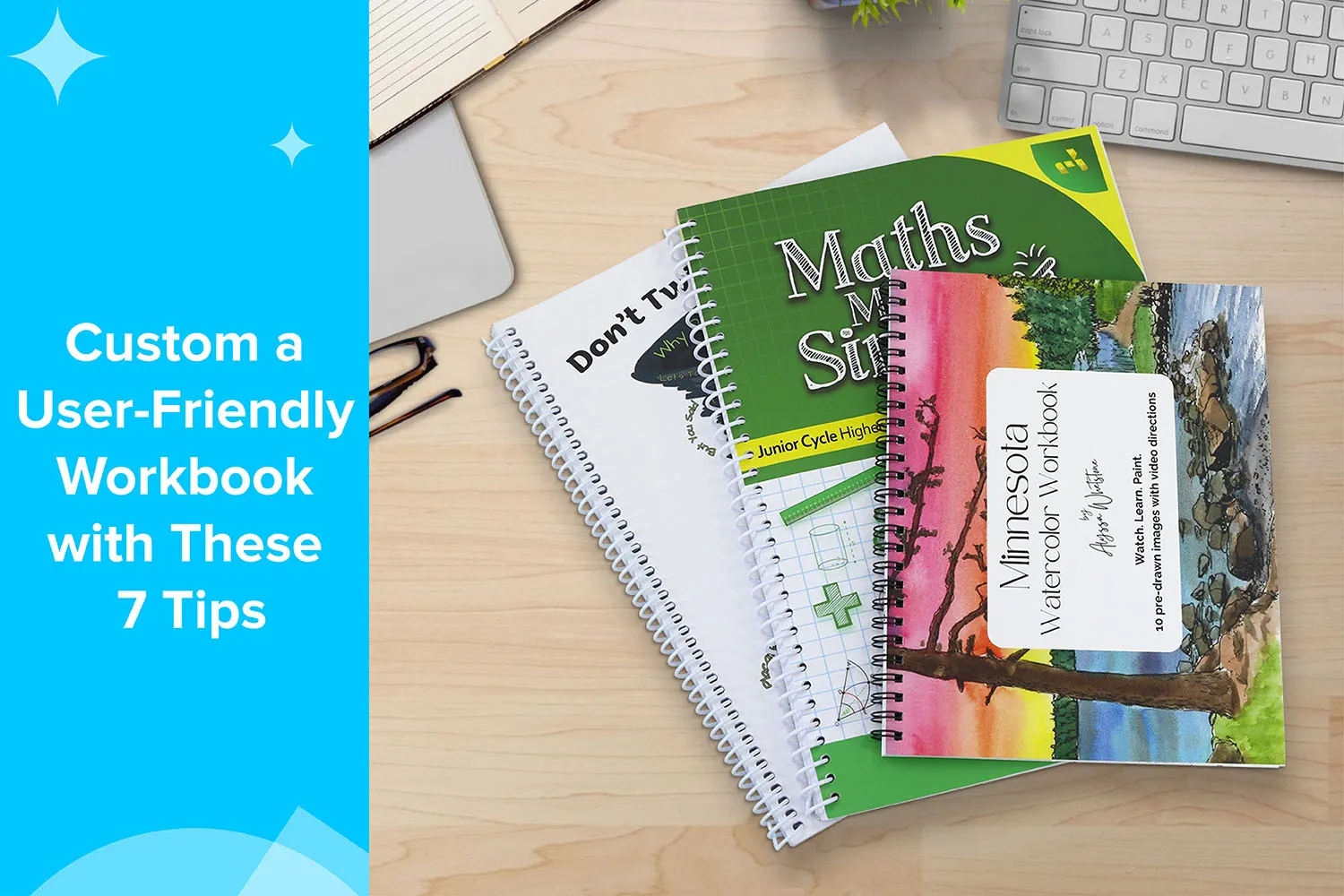
Creating a workbook may seem straightforward at first—put content on pages, bind them together, and print. However, a truly user-friendly custom workbook requires much more thoughtful planning. From paper choice and binding style to special add-ons that enhance usability, every detail influences how readers interact with the workbook, how long it lasts, and how effective it is as a learning or training tool.
Whether you are producing workbooks for education, corporate training, coaching programs, or workshops, investing in custom workbook printing ensures the final product is functional, durable, and enjoyable to use. In this guide, we will walk you through seven essential tips to help you create a custom workbook that users love—one that feels comfortable to write in, easy to navigate, and built to withstand frequent use.
Understanding User-Friendly Workbook Design
Before diving into how to create a user-friendly workbook, it’s important to understand what makes a workbook truly practical and effective. A workbook is more than just a collection of pages; it is a tool for learning, training, or guiding users through tasks. Its design directly impacts how efficiently users can engage with its content and complete exercises.
What Makes a Workbook “User-Friendly”?
A user-friendly workbook is designed with the reader’s experience in mind from the very first page to the last. It should:
Open easily and lie flat on a desk, allowing users to write or read without struggling against the spine
Provide a smooth writing surface that works with pens, pencils, markers, and other tools without smudging or bleeding
Guide users clearly through sections and exercises so that the content is easy to follow and navigate
When these elements are thoughtfully implemented, users can focus entirely on learning or completing tasks, rather than battling awkward layouts or flimsy materials.
User-friendliness is not about luxury—it’s about practical functionality. A workbook that is easy to handle, write in, and reference encourages active participation, leading to higher engagement and better learning outcomes.
Why Paper, Binding, and Special Add-Ons Matter
Unlike regular books, workbooks are highly interactive. Users write in them, flip pages back and forth, fold them open, and sometimes even remove or tear out pages. This repeated, hands-on use places higher demands on materials and construction than typical reading books.
Paper quality affects writing comfort, ink absorption, and how well pencils, pens, and markers perform on the page.
The binding style determines whether the workbook lies flat or stays open while being used, which is crucial for efficient note-taking and exercises.
Special add-ons, such as perforated pages, tab dividers, and pockets, enhance organization, navigation, and overall functionality.
By carefully combining these elements, a standard workbook transforms into a professional, high-performing tool that is durable, easy to use, and tailored to its intended audience.
Common Use Cases for Custom Workbooks
Custom workbooks are widely used across different industries and applications, each with unique requirements. Some of the most common use cases include:
Education: Classroom workbooks, activity books, homework guides, and exam preparation materials
Corporate Training: Employee onboarding manuals, compliance training, and skill development programs
Coaching and Workshops: Life coaching, business coaching, wellness programs, and self-development courses
Nonprofits and Government: Training manuals, outreach materials, and instructional guides
Events and Seminars: Conference workbooks, guided exercises, and participant manuals
Each scenario may demand specific features such as tabbed sections, perforated worksheets, or dry-erase pages, but the core principles of a user-friendly workbook remain consistent. A workbook that is easy to handle, write in, navigate, and reference will always provide the best experience for its users.
Cover Design for Durability
A workbook cover does more than create a first impression; it protects the interior pages from wear and tear. Because workbooks are handled frequently, thin covers tend to bend, crease, and tear quickly. Over time, this can cause pages to loosen or fall out, reducing the workbook’s lifespan.
Why Thick Covers Matter
A durable cover provides:
Structural support for the entire book
Protection against bending, moisture, and friction
A professional look that reinforces your brand or program value
For custom softcover workbook printing, we typically recommend 250–350 gsm coated paper for covers. This heavier stock ensures the workbook feels sturdy in hand and can withstand repeated use.
Lamination Options: Glossy vs Matte
Lamination adds an extra protective layer to the cover while also enhancing its appearance.
Glossy lamination offers vibrant colors and a smooth, shiny finish that is easy to wipe clean.
Matte lamination provides a more refined, non-glare surface with a soft, professional feel.
Both options help prevent scratches, stains, and fading, making them ideal for workbooks used over extended periods.
Plastic Protective Covers for Classroom Use
For environments where durability is critical, such as classrooms, training rooms, or workshops, plastic protective covers are an excellent option. These covers resist moisture, tearing, and bending far better than paper alone, making them especially suitable for children’s workbooks or frequently reused training materials.
Uncoated Paper for the Interior
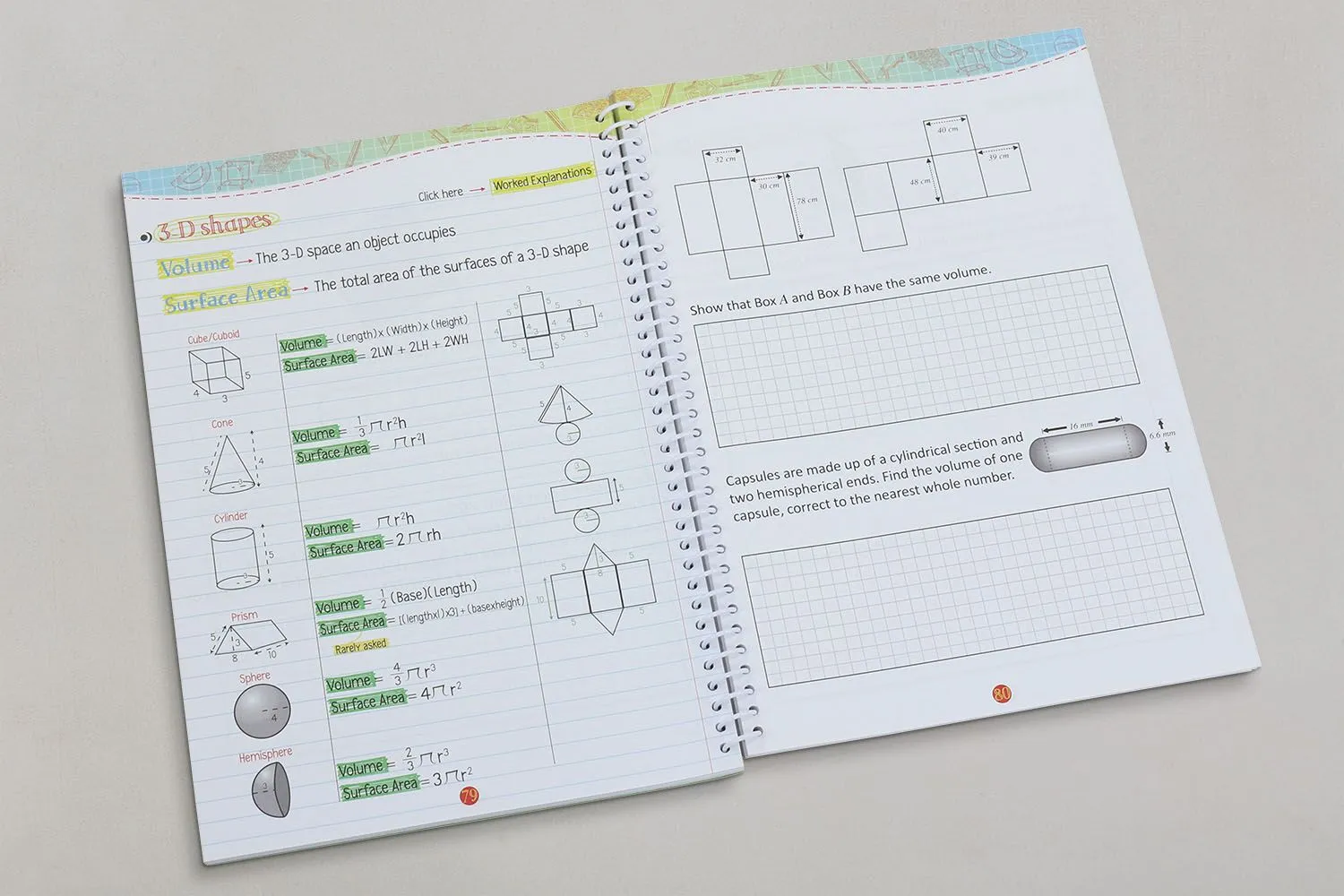
Interior paper choice is one of the most important factors in creating a user-friendly workbook. Since users will write, draw, and annotate directly on the pages, the paper must perform well with various writing tools.
Why Uncoated Paper Is Best for Writing
Uncoated paper is the preferred choice for workbook interiors because it absorbs ink naturally rather than letting it sit on the surface. This absorption creates a smoother, more controlled writing experience and prevents smudging or slipping. As a result, uncoated paper works exceptionally well with a wide range of writing and coloring tools, including pencils, pens, crayons, and markers.
Because the ink is absorbed into the paper fibers, colors appear more natural and consistent, and handwriting feels more stable and precise. This tactile feedback is especially important for educational, training, and creative workbooks, where users are expected to write, draw, shade, or complete exercises directly on the page.
Reduced Glare for Long Study Sessions
Another significant advantage of uncoated paper is its low-reflective, matte surface. Unlike coated paper, which can reflect overhead lighting or sunlight, uncoated paper minimizes glare and reduces eye strain. This makes it far more comfortable for users who spend extended periods reading, studying, or taking notes.
For classrooms, workshops, and professional training environments, this reduced glare helps maintain focus and visual comfort, allowing users to engage with the content for longer periods without fatigue.
Recommended Paper Weights
For most custom workbook printing projects, the following interior paper weights are popular:
100 gsm: Lightweight yet durable, suitable for standard workbooks
120 gsm: Thicker and more premium, offering better opacity and reduced show-through
The right choice depends on your budget, page count, and writing intensity.
Eco-Friendly and Recycled Paper Options
Sustainability is increasingly important for many organizations. Eco-friendly and recycled uncoated paper options allow you to create environmentally responsible workbooks without sacrificing usability or quality. These papers are ideal for schools, nonprofits, and brands committed to sustainability.
Choose a Standard Size
The size of a workbook plays an important role in how comfortable and practical it is to use. While custom sizes are always an option, selecting a standard workbook size is often the most user-friendly and cost-effective choice. Standard sizes are designed to meet everyday writing and handling needs, making them familiar and convenient for most users.
Choosing a widely used size also simplifies layout design, printing, binding, storage, and shipping, helping the entire production process run more smoothly.
Why Standard Sizes Work Best
The most commonly used workbook sizes are:
A4 (210 × 297 mm)
US Letter (8.5” × 11”)
These sizes offer generous page space for exercises, notes, diagrams, and written responses without feeling cramped. Users have plenty of room to write comfortably, even when completing longer answers or working with structured layouts.
Standard sizes are also fully compatible with desks, backpacks, folders, binders, and filing systems, making them easy to carry, store, and organize. From a production standpoint, standard sizes typically result in lower printing and binding costs, as they work efficiently with existing paper stocks and equipment.
In addition, familiar dimensions help users feel more at ease. When a workbook looks and feels familiar, users can focus on the content rather than adjusting to an unusual format, ultimately improving overall comfort and usability.
Use Spiral or Wire-O Binding
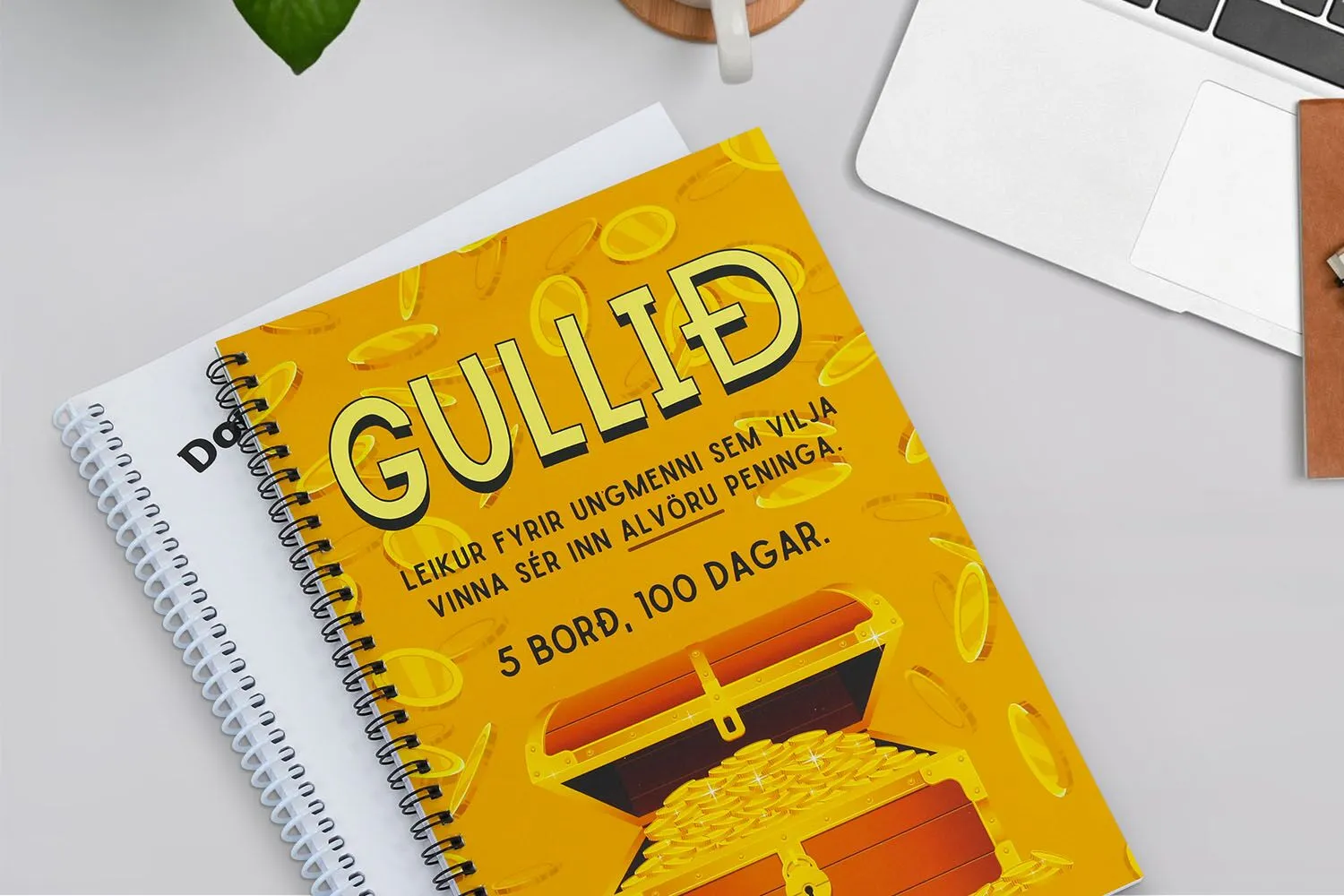
Binding is one of the most critical decisions in custom workbook printing, as it directly affects how users interact with the book. Unlike standard books that are primarily read, workbooks are written in, flipped through frequently, and often kept open on a desk for long periods. For this reason, the binding must allow the pages to stay open easily and remain stable during use.
Spiral and Wire-O binding are widely considered the best options for workbooks because they are specifically designed to support hands-on use and frequent page turning.
Why Lay-Flat Binding Is Essential
Both spiral and Wire-O binding allow the workbook to open completely flat at 180 degrees, making it comfortable for users to write across both pages without fighting against the spine. Besides, these bindings enable 360-degree page rotation, allowing the workbook to fold neatly back on itself when space is limited.
Because the pages naturally stay open, users do not need to hold the book down while writing or reading. This hands-free experience makes note-taking, completing exercises, and referencing information far more comfortable and efficient, especially in classrooms, training sessions, and workshops.
Spiral vs Wire-O: Key Differences
Spiral binding uses a single continuous coil made from plastic or metal that runs through holes along the spine. It is flexible, durable, and cost-effective, making it a popular choice for high-volume workbook printing and educational materials.
Wire-O binding, also known as double-loop wire binding, uses a series of metal loops that form a strong, uniform spine. This option provides a cleaner, more structured, and more professional appearance, making it ideal for corporate training workbooks, manuals, and premium presentations.
Both binding methods perform exceptionally well for workbooks, and the final choice often depends on visual preference, budget considerations, and the intended use of the workbook.
Plastic vs Metal Coils
Spiral binding coils are available in both plastic and metal options, each offering distinct advantages.
Plastic coils are highly durable and flexible, resistant to bending or deformation, and available in a wide range of colors to match branding or design themes.
Metal coils offer a sleek, professional look with added rigidity and strength, making them suitable for workbooks that require a more polished finish.
Choosing the Right Coil Size
Selecting the correct coil size is essential for both functionality and appearance. Coil size is determined by the total page count, paper thickness, and cover stock used in the workbook. A properly sized coil allows pages to turn smoothly and lie flat without feeling tight or overcrowded.
Choosing a coil that is too small can restrict movement and strain the pages, while an oversized coil may feel loose and less secure. Working with an experienced printing partner ensures the coil size is perfectly matched to your workbook’s specifications, resulting in a durable, easy-to-use final product.
Include Perforated Pages
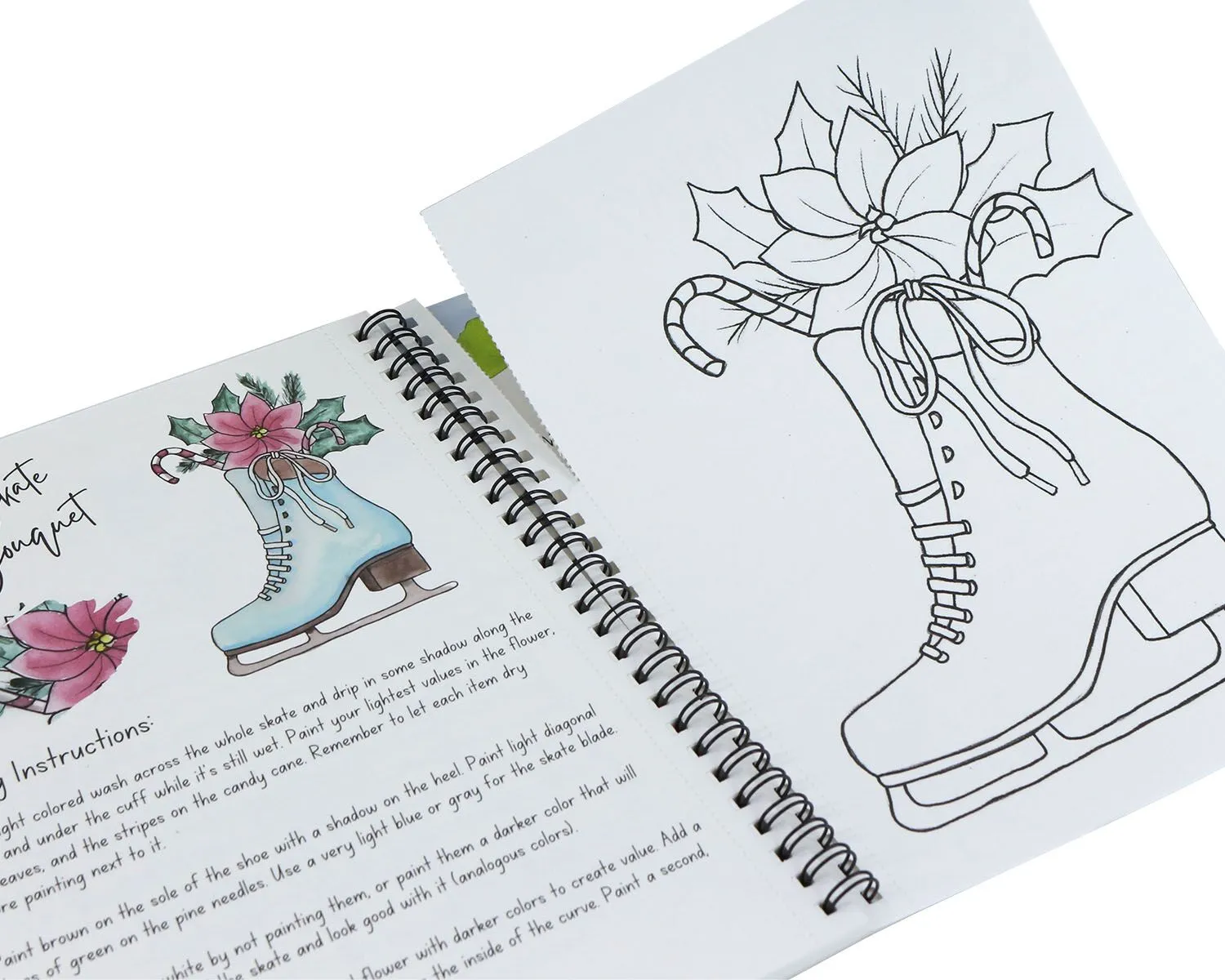
Adding perforated pages introduces an extra level of flexibility and practicality to a workbook. Perforation allows specific pages or sections to be removed cleanly, making the workbook more interactive and functional. This feature is especially valuable for workbooks designed for learning, training, and hands-on activities where users need to separate pages for submission, review, or reference.
What Is Perforation and How Does It Work?
Perforation is a finishing process that creates a precise line of small, evenly spaced holes along the edge of a page. These perforations act as a controlled tear line, allowing users to remove pages smoothly and neatly without ripping or damaging surrounding pages.
Because the tear is clean and intentional, the remaining workbook stays intact and professional-looking even after pages are removed. This makes perforation ideal for structured activities where page removal is part of the workflow.
Ideal Uses for Perforated Pages
Perforated pages are commonly used in workbooks that include:
Worksheets that need to be handed in or reviewed separately
Quizzes and tests for classroom or training environments
Assignments intended for submission or evaluation
Checklists and reference sheets that users may want to keep handy outside the workbook
This feature enhances usability by allowing users to interact with the content exactly as intended.
Partial vs Full-Page Perforation
There are two main types of perforation used in custom workbook printing:
Full-page perforation allows an entire page to be removed from the workbook, making it ideal for worksheets, exams, or standalone reference materials.
Partial perforation creates a tear line within a page, enabling users to remove sections such as coupons, forms, response cards, or activity panels.
The choice depends on how the content will be used and whether full pages or specific sections need to be separated.
Industries That Commonly Use Perforated Workbooks
Perforated workbooks are widely used across many industries, including:
Education and training, for assignments, tests, and activity sheets
Corporate workshops, for exercises, evaluations, and action plans
Healthcare and compliance programs, for forms and documentation
Coaching and consulting, for worksheets, goal-setting pages, and take-home resources
By incorporating perforation, you can significantly improve the functionality and user experience of your custom workbook.
Use Tab Dividers
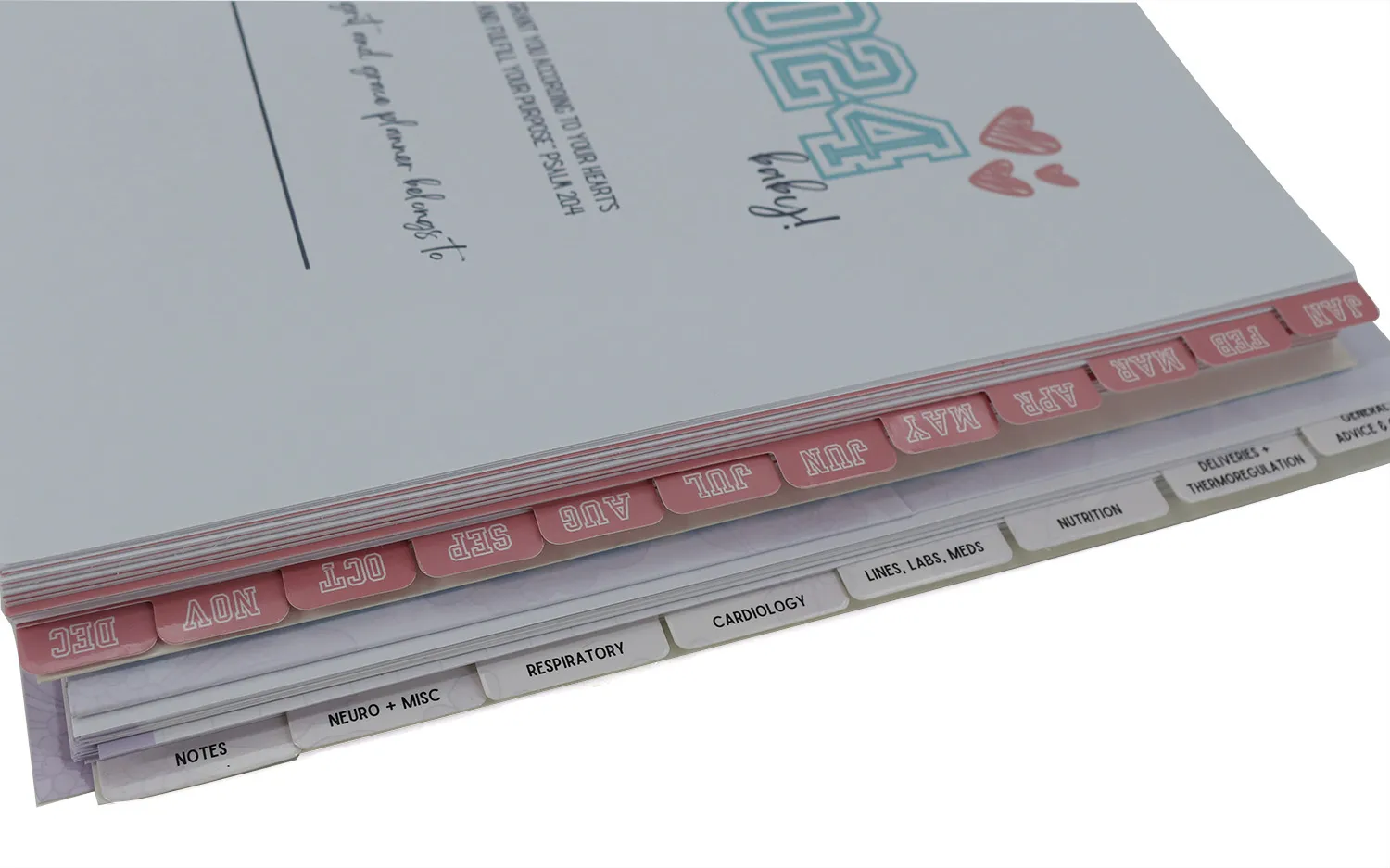
Tab dividers are a simple yet highly effective feature that greatly improves the usability of a workbook. By visually separating sections, tabs make navigation faster and more intuitive, allowing users to locate content without unnecessary page flipping. This is especially important for workbooks with multiple chapters, modules, or activity sections that users need to access repeatedly.
How Tab Dividers Improve Organization
Tab dividers help structure the workbook clearly and logically. With well-designed tabs, users can:
Find sections instantly, saving time during study sessions or training activities
Move between chapters efficiently without losing their place
Stay focused on tasks instead of flipping through pages to locate the correct section
This improved organization enhances the overall user experience and makes the workbook feel more professional and easier to use.
Printed vs Laminated Tabs
There are two main types of tab dividers commonly used in custom workbook printing:
Printed tabs are cost-effective and highly customizable. They work well for light to moderate use and allow for full-color printing, numbering, or text labels.
Laminated tabs offer added durability and resistance to tearing, bending, and wear. They are ideal for workbooks that will be used frequently, shared among users, or handled in demanding environments such as classrooms or training facilities.
The choice between printed and laminated tabs depends on how often the workbook will be used and the level of durability required.
Customization Options
Tab dividers can be fully customized to match the design and branding of your workbook. Common customization options include:
Colors to visually differentiate sections
Shapes such as rounded or extended tabs for easy gripping
Numbers or text labels to clearly identify chapters or modules
Brand elements, including logos or themed graphics, for a cohesive look
Custom tabs not only improve navigation but also reinforce brand identity and enhance the workbook’s visual appeal.
Durable Materials for Tabs
To ensure long-lasting performance, we recommend using 200–250 gsm coated paper for tab dividers, finished with glossy or matte lamination. This combination provides the strength needed to withstand frequent handling while maintaining a clean, professional appearance. Properly constructed tabs remain intact over time, even in workbooks that are used daily.
Other Special Add-Ons That Enhance Usability
Beyond paper, size, and binding, thoughtfully chosen special add-ons can greatly enhance the functionality and overall user experience of a workbook. These finishing touches may seem small, but they often make a significant difference in how comfortable, durable, and versatile the workbook is in real-world use. Features such as rounded corners, pockets, and dry-erase construction help adapt a workbook to specific audiences and use cases.
Rounded Corners for Safety and Durability
Rounded corners are a practical finishing option that improves both safety and longevity. By eliminating sharp edges, rounded corners help prevent paper cuts and reduce the risk of injury, making them especially suitable for children’s workbooks and classroom materials.
In addition to safety, rounded corners are less likely to bend, crease, or fray over time. This helps the workbook maintain a clean, professional appearance even after frequent handling, transportation, and repeated use.
Pockets for Loose Sheets and Extra Materials
Pockets are an excellent add-on for workbooks that include supplemental materials. They provide a convenient place to store loose items and keep all related content organized in one location.
Common uses for workbook pockets include:
Handouts distributed during training sessions or workshops
Reference materials that users may need to revisit
Notes, inserts, or worksheets that are added over time
By incorporating pockets, users can avoid losing important documents and maintain a more organized, functional workbook throughout the program.
Dry-Erase Workbooks for Reusable Use
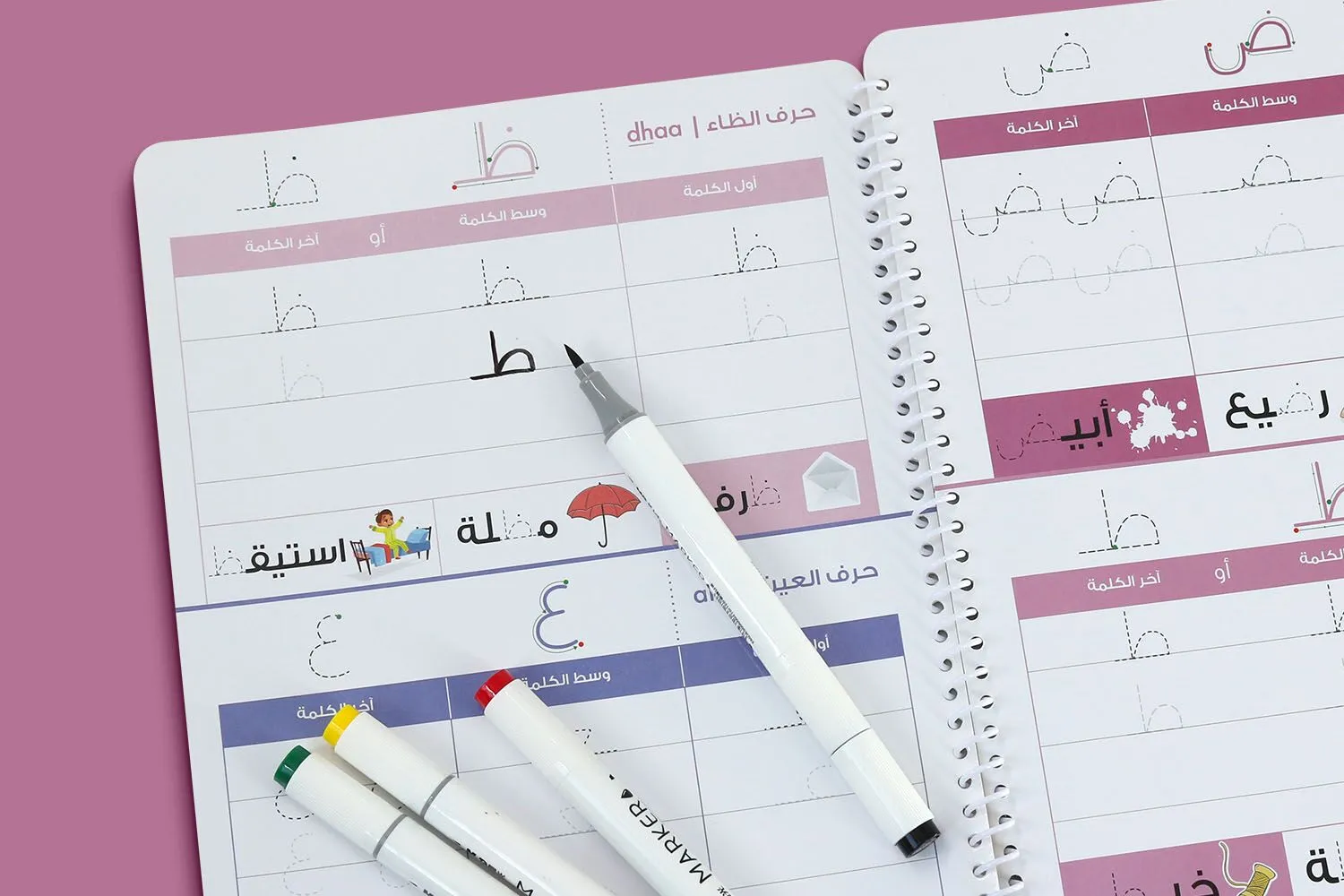
For projects that require repeated use, dry-erase workbooks offer a highly practical and cost-effective solution. This construction allows users to write, erase, and reuse the same pages multiple times, making it ideal for interactive learning and training environments.
We recommend using 200–300 gsm coated cover paper for the interior pages, combined with double-sided glossy lamination or erasable UV coating. This combination creates a smooth, non-porous surface similar to a dry-erase board. Users can write on both sides of the page with dry-erase markers and easily wipe them clean after use.
Dry-erase workbooks are particularly well-suited for:
Training manuals used across multiple sessions
Educational materials for classrooms or tutoring programs
Interactive learning tools that encourage participation and practice
This option not only enhances usability but also extends the workbook’s lifespan, reducing the need for frequent reprinting.
Ready to Print Workbooks?
Creating a user-friendly workbook requires careful planning, expert material selection, and precise printing. At BookPrintingChina, we specialize in custom workbook printing tailored to your exact needs.
From paper selection and binding to special finishes and add-ons, our team will guide you through every step of the process to ensure your workbook is functional, durable, and professionally produced.
If you are ready to bring your custom workbook to life, contact BookPrintingChina today for a personalized quote and expert support. Let us help you create a workbook that users will enjoy using from the first page to the last.