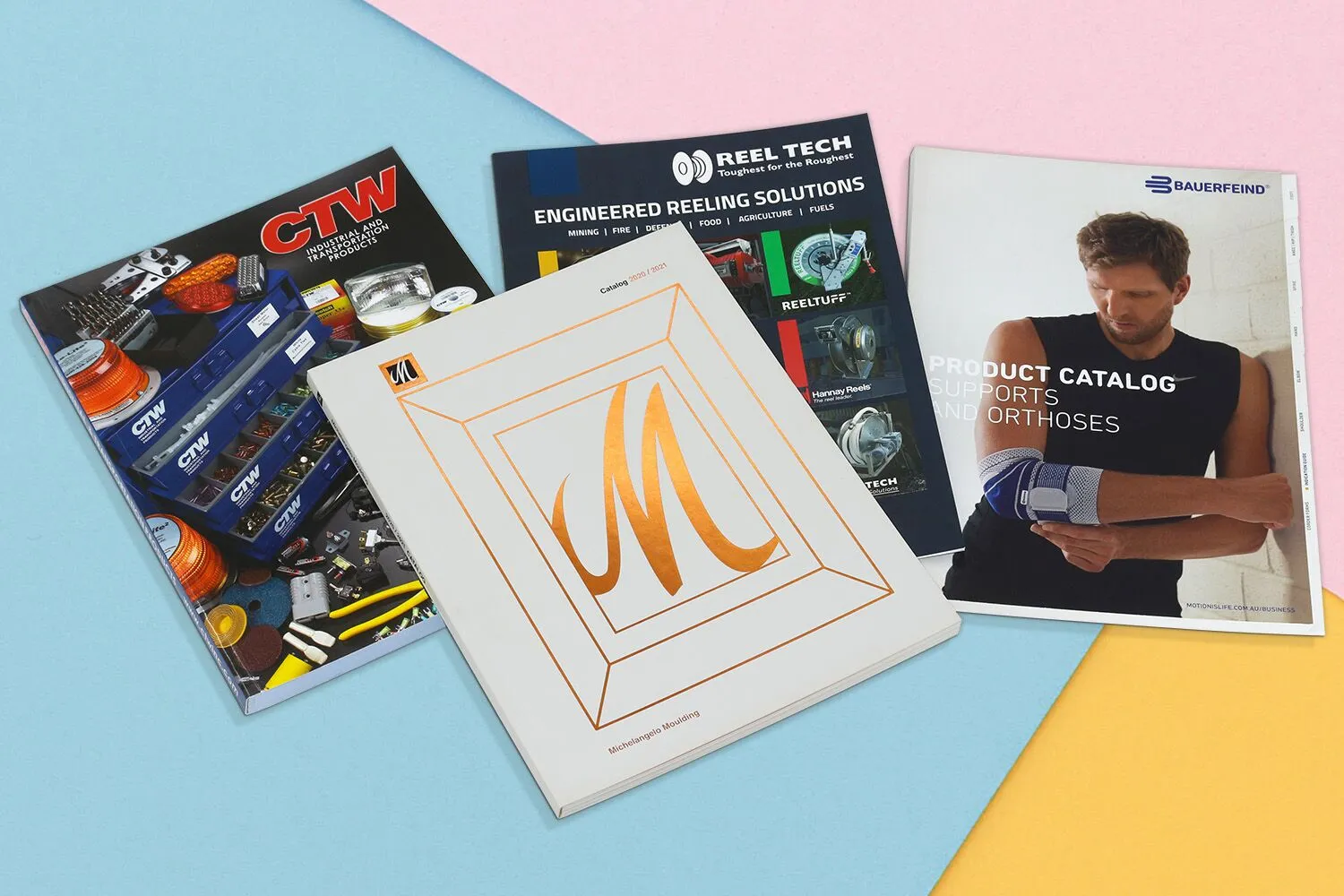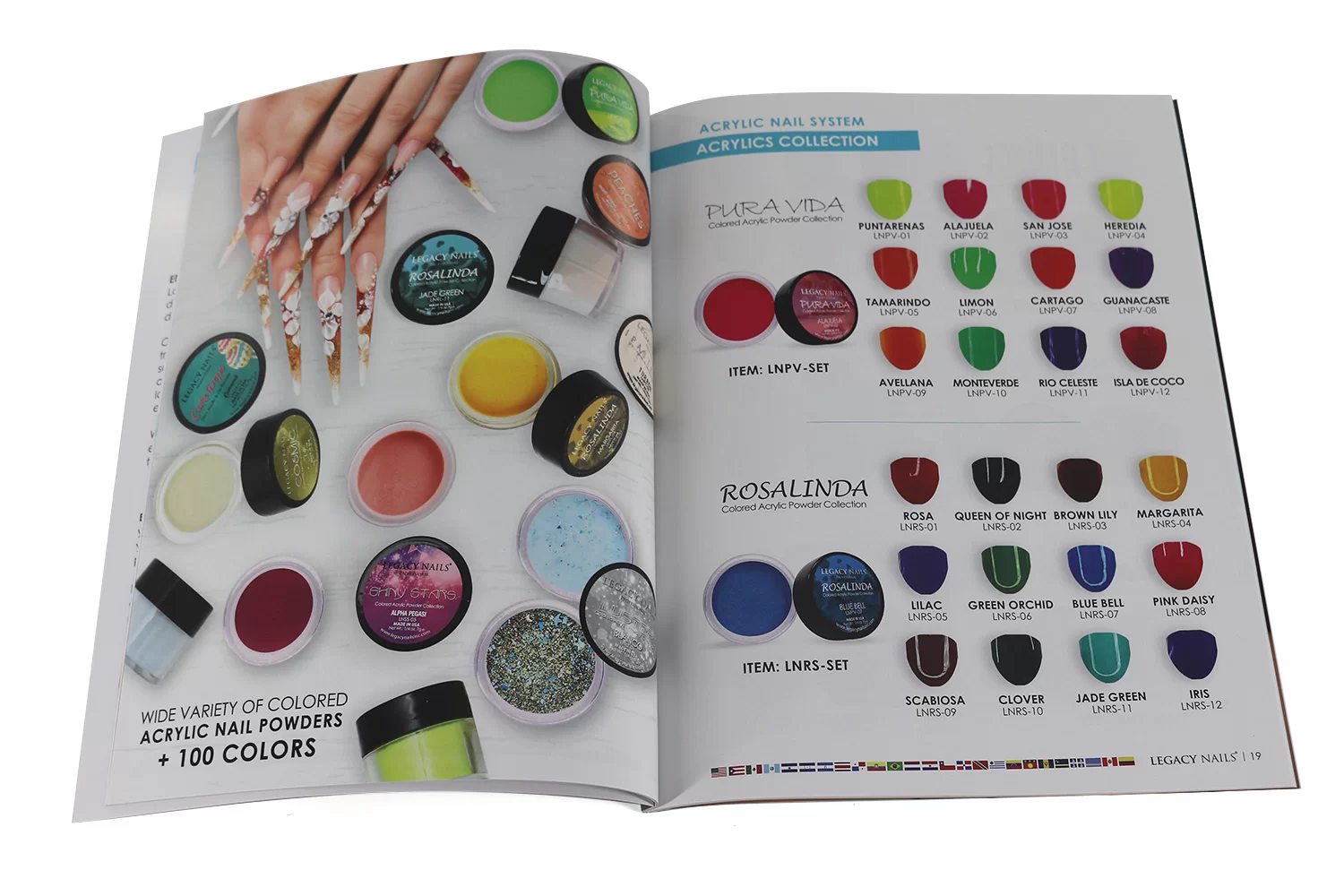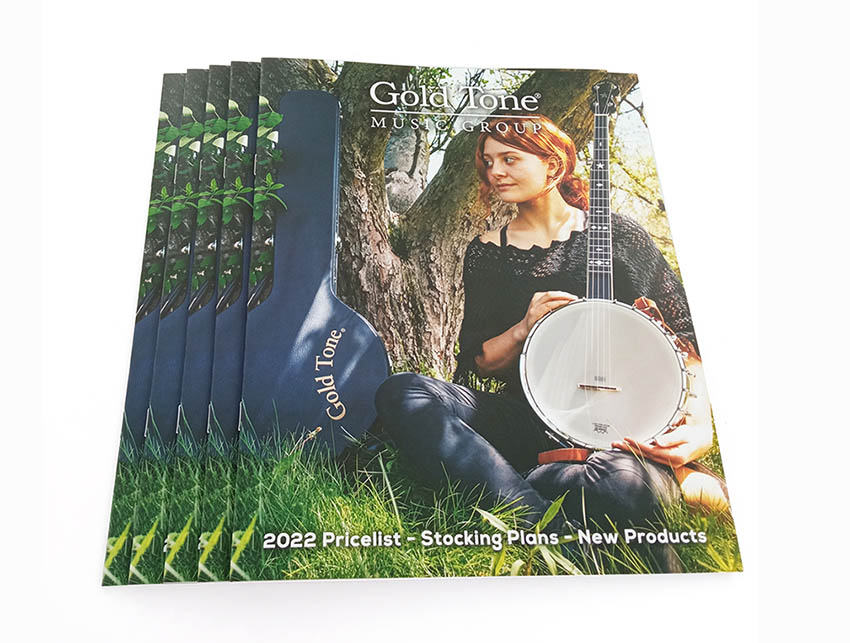




Explore how to print your own catalog with professional quality and affordable prices. Find tips on design, materials and finishes, binding, printing techniques and packaging solutions to make your catalog stand out.
Printed Catalog is Still Work in Today’s Digital Age?
In the era of digital transformation, where everything seems to be going online, you might wonder if printed catalogs are still relevant? The answer is a resounding yes! While digital catalogs have their place, printed catalogs offer a tangible and immersive experience that can leave a lasting impression on your customers.
Holding a well-designed catalog in their hands allows customers to engage with your products in a way that digital catalogs simply cannot match. The tactile experience of flipping through pages, feeling the paper’s texture, and appreciating the vibrant colors can create a deeper connection with your brand. Furthermore, printed catalogs are portable and can be easily shared, making them a powerful marketing tool that can reach a wider audience.
As a professional printing service provider, we understand the importance of printed catalogs and the impact they can have on your business. That’s why we’ve compiled these expert tips to help you print your own catalog that will captivate your audience and showcase your products in the best possible light.
Print Catalog Trends
In recent years, the printing industry has witnessed a resurgence in the demand for printed catalogs, driven by a growing appreciation for their unique qualities. While digital catalogs offer convenience and accessibility, printed catalogs provide a tactile experience that resonates with consumers on a deeper level.
One of the most notable trends in catalog printing is the emphasis on high-quality materials and finishes. Businesses are increasingly opting for premium paper stocks, such as matte or gloss art papers, to create a luxurious feel and showcase their products in the best possible light. Additionally, finishes like spot UV, foil stamping, and embossing are becoming more prevalent, adding an extra layer of sophistication and visual appeal.
Another trend is the incorporation of sustainable and eco-friendly practices in catalog printing. As consumers become more environmentally conscious, businesses are seeking out recycled and FSC-certified papers. As well as exploring alternative binding methods that reduce waste and promote sustainability.
Furthermore, the integration of digital elements, such as QR codes and augmented reality features, is gaining traction. These interactive elements allow customers to seamlessly transition between the printed and digital worlds, providing an enriched and immersive experience.
Overall, the trends in catalog printing reflect a growing appreciation for the tangible and tactile qualities of printed materials, while also embracing innovation and sustainability.
Start for Designing Your Own Catalog
Picking the Right Format and Size
Choosing the appropriate format and size for your catalog is crucial in creating a visually appealing and practical product. The size and format you select should align with your brand’s identity, product offerings, and target audience.
Size
-
A4 (8.27″ x 11.69″): A popular choice for catalogs, offering ample space for product images and descriptions.
-
A5 (5.83″ x 8.27″): A compact size suitable for smaller catalogs or product line extensions.
-
5.5″ x 8.5″: A versatile size that strikes a balance between portability and readability.
-
8.5″ x 11″ (Letter): A standard size commonly used in North America, providing generous space for content.
-
Custom Size: If you want to print your own catalog in a unique size, consider custom dimensions to make it truly stand out.
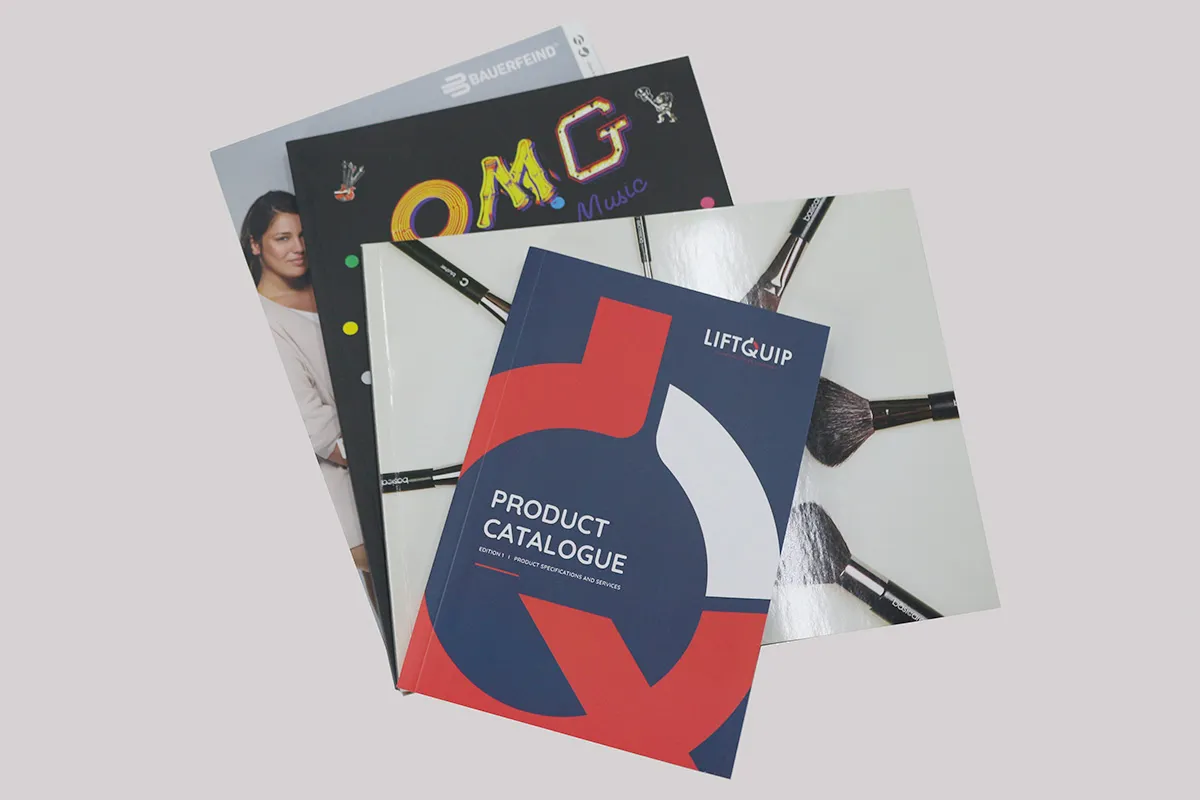
Format
-
Portrait: A classic format that allows for a natural top-to-bottom reading experience.
-
Landscape: Ideal for showcasing wide product images or spreads, creating a panoramic viewing experience.
-
Square: An unconventional choice that can make your catalog visually striking and memorable.
When selecting the size and format, consider factors such as the number of products you want to feature, the desired level of detail, and the overall aesthetic you wish to achieve.
Professional Catalog Design and Layout Tips
Creating a professional catalog can significantly enhance your brand’s visibility and appeal. A well-designed catalog not only showcases your products but also acts as a powerful marketing tool. Whether you want to print your own catalog or work with a professional designer, understanding the key elements of catalog design is essential. Here are some expert tips to guide you through the process, focusing on cover design and interior layout.
Cover Design
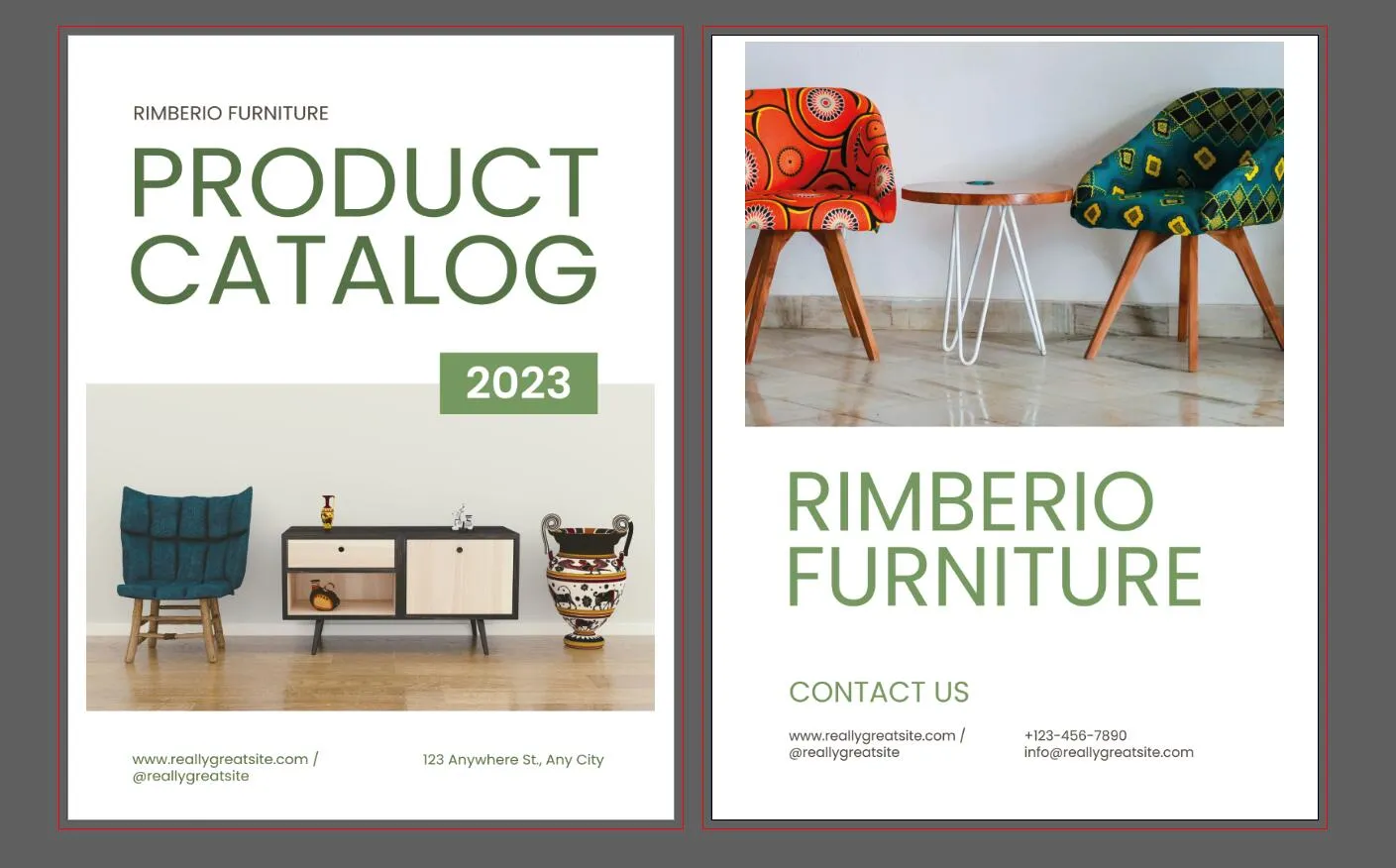
The cover of your catalog is the first impression customers will have of your brand, making it crucial to get it right. Here are some tips for an eye-catching cover design:
-
Choose a Striking Image: Select a high-quality image that represents your brand identity and aligns with the catalog’s theme. Your cover image should be both visually appealing and relevant to the products you’re showcasing. Consider using a lifestyle photograph that depicts your products in action or a clean, minimalist design that highlights your brand logo.
-
Use Compelling Typography: The typography on your cover should be not only readable but also reflective of your brand’s personality. Choose fonts that are clear and fit your industry niche. It’s essential to strike a balance between style and readability. Use varying font sizes to create a hierarchy and emphasize key information such as the catalog title or any special editions.
-
Incorporate Brand Elements: Your catalog cover should incorporate your brand’s colors, logo, and style elements. Consistency is key to building brand recognition. So ensure these elements align with your overall branding strategy. This creates a professional appearance and reinforces your brand identity.
-
Consider a Call-to-Action: If appropriate, include a subtle call-to-action on the cover. Phrases like “Explore Our New Collection Inside” can entice readers to open your catalog and engage with your offerings.
Interior Layout
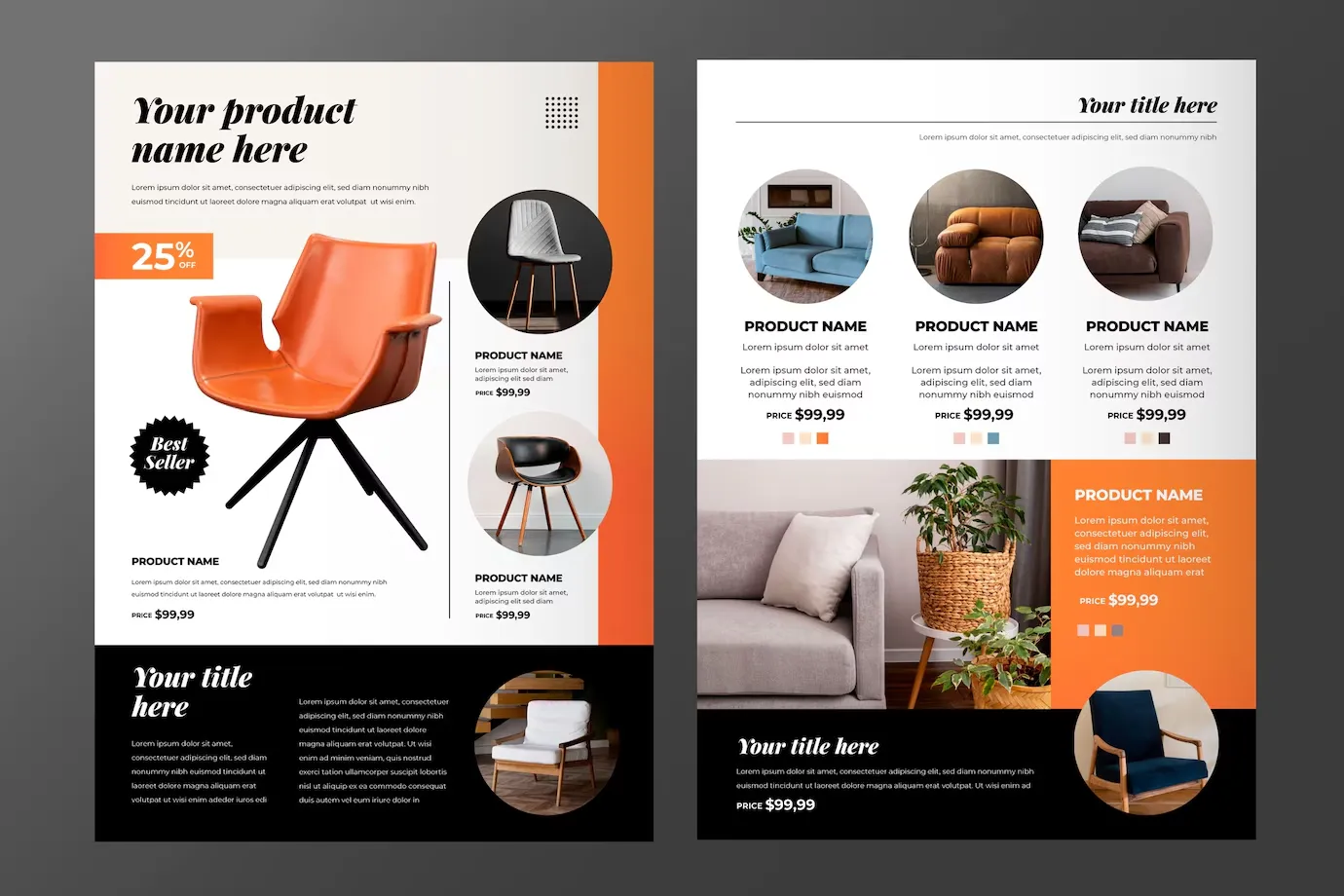
Once you’ve crafted an engaging cover, the interior layout of your catalog must also be meticulously designed. A clear, organized layout will make it easy for customers to navigate through your offerings.
-
Establish a Clear Hierarchy: Using headings and subheadings throughout your catalog is essential. This helps guide readers through different sections and makes finding products easier. Ensure a clear distinction between main categories and subcategories, and use consistent styles for headings to create a cohesive look.
-
Use High-Quality Images: Images are the centerpiece of any print catalog. High-resolution images of your products are crucial—they should be visually appealing and clearly represent the items. Consider including multiple angles or lifestyle images where applicable to provide a comprehensive view of your products.
-
Consistent Layout for Each Page: Consistency breeds familiarity. Maintain uniform margins, spacing, and alignment throughout your catalog. This creates a polished and organized appearance, allowing customers to focus on the content rather than being distracted by varying layouts.
-
Descriptive Copy: Provide clear, concise descriptions for your products. Explain their features, benefits, and any unique selling propositions. Descriptive copy should complement your images rather than overshadow them, so strike a balance between visual and textual information.
-
Effective Use of White Space: Don’t underestimate the power of white space in your catalog. Adequate spacing can help prevent the design from feeling cluttered and allows important elements, like images and text, to breathe. This makes for an easier reading experience, encouraging customers to explore your products more thoroughly.
Designing a professional catalog can seem daunting, but focusing on essential elements like cover design and interior layout will guide your success. By applying these tips, you can create a visually stunning print catalog that resonates with your audience and enhances your brand’s credibility. Don’t hesitate to take the plunge and print your own catalog—it’s an investment in your brand’s visibility and growth.
Print Catalog Design Software
When it comes to designing a professional-quality catalog, having the right tools is essential. While there are various design software options available, we recommend Adobe Illustrator, Adobe InDesign, and Canva for their powerful features and user-friendly interfaces.
-
Adobe Illustrator: This vector-based software is ideal for creating intricate graphics, illustrations, and logos that can be scaled without losing quality, making it perfect for designing eye-catching cover designs and visual elements.
-
Adobe InDesign: Specifically designed for layout and typography, InDesign is the industry-standard tool for creating multi-page documents like catalogs. Its advanced typographic controls, master pages, and layout tools make it easy to maintain consistency throughout your catalog.
-
Canva: If you’re looking for a more accessible and user-friendly option, Canva is an excellent choice. With its intuitive drag-and-drop interface and extensive library of templates and design elements, Canva empowers even those with limited design experience to create visually stunning catalogs.
Regardless of your chosen software, it’s essential to familiarize yourself with its features and capabilities to ensure a seamless design process and a professional-looking end product.
Catalog Material Options
Paper type
The paper type you choose for your catalog can significantly impact its overall look, feel, and durability. Here are some popular options to consider:
-
Gloss Art Paper: With a high-shine finish, gloss art paper enhances the vibrancy of colors and image details. It is a popular choice for catalogs featuring vibrant product photography or artwork.
-
Matte Art Paper: Offering a more subdued and elegant appearance, matte art paper provides a smooth, non-reflective surface. It can make text easier to read and reduce glare.
-
Uncoated Paper: For a natural and eco-friendly look, uncoated paper is an excellent option. Its textured surface adds a tactile element and can convey a sense of authenticity and craftsmanship.
-
Recycled Paper (FSC Certified): If sustainability is a priority for your brand, consider using recycled paper certified by the Forest Stewardship Council (FSC). This environmentally conscious choice demonstrates your commitment to responsible practices while still delivering a high-quality product.
When selecting the paper type to print your own catalog, consider factors such as your product offerings, brand identity, and the overall aesthetic you wish to achieve.
Paper Weight
The paper weight you choose can greatly impact the perceived quality and durability of your catalog. Here are some guidelines to help you make an informed decision:
-
Lightweight Paper (80-105gsm): Ideal for catalogs with a high page count, lightweight paper helps keep the overall weight and cost down while still providing a suitable level of quality.
-
Thicker Paper (128-157gsm): For catalogs with fewer pages or those requiring a more premium feel, thicker paper weights can enhance the perceived value and quality. This range is also suitable for catalogs featuring high-quality product photography or artwork. Because the heavier paper can better showcase the details and vibrancy of the images.
It’s essential to strike a balance between paper weight, page count, and overall cost. Consulting with a professional catalog printing service can help you make the best choice based on your specific requirements and budget.
Catalog Finish Touches
Adding finishing touches to your catalog can elevate its overall aesthetic and create a truly memorable experience for your customers. Here are some popular options to consider:
Gloss/Matte Lamination
Lamination not only adds a protective layer to your catalog but also enhances its visual appeal. Gloss lamination provides a high-shine finish that makes colors and images pop, while matte lamination offers a more subtle and sophisticated look.
Spot UV
Spot UV is a technique that selectively applies a glossy coating to specific areas of your catalog. It creates a striking contrast and drawing attention to important elements like logos or product images.
Foil Stamping
Foil stamping adds a touch of luxury and sophistication to your catalog. This process involves applying metallic foil to the cover, creating a raised and shimmering effect that can make your brand stand out.
Emboss
Embossing creates a raised design on the cover, adding a tactile element that can enhance the sensory experience of your catalog.
Cut Insert Tab
Cut insert tabs are a practical and visually appealing way to divide your catalog into different sections or product categories. These tabs protrude from the edge of the catalog, making it easy for readers to quickly navigate to their desired section.

While these finishing touches can add to the overall cost, they can also significantly enhance the perceived value and impact of your catalog. It is still a worthwhile investment for businesses looking to create a truly memorable and engaging experience for their customers.
Selecting Suitable Binding Styles for Catalogs
The binding style you choose for your catalog can impact its durability, usability, and overall aesthetic. Here are some popular binding options to consider:
Saddle Stitch
Saddle stitching is a cost-effective and straightforward binding method suitable for catalogs with a lower page count. It involves stapling the pages together along the spine, creating a clean and simple look.
Perfect Binding/Sewn Perfect Binding
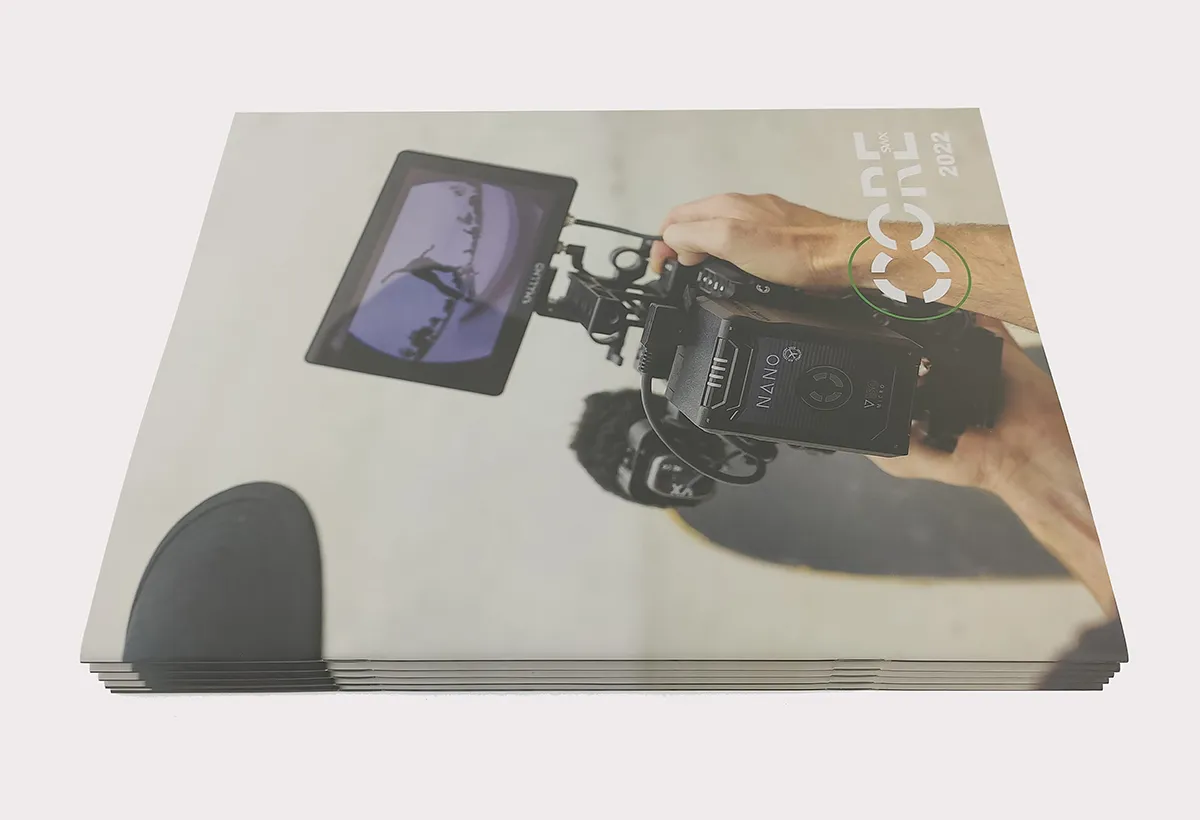
Perfect binding is a popular choice for catalogs with a higher page count. In this method, the pages are glued together and then attached to a sturdy cover, creating a flat and professional spine. Sewn perfect binding adds an extra layer of durability by sewing the pages together before gluing them to the cover, and allow the pages open flat.
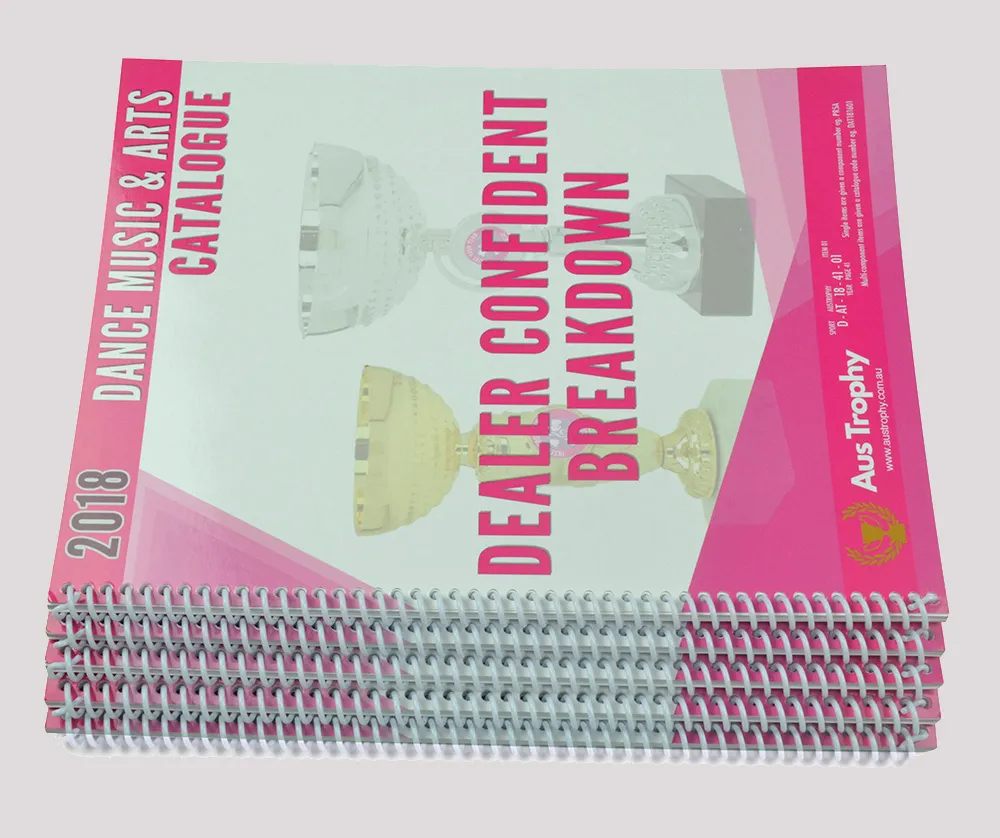
Spiral Binding
Spiral binding, also known as coil binding. It involves punching holes along the spine and threading a continuous plastic or wire coil through them. This binding style allows the catalog to open flat and is particularly useful for catalogs that require frequent referencing or note-taking.
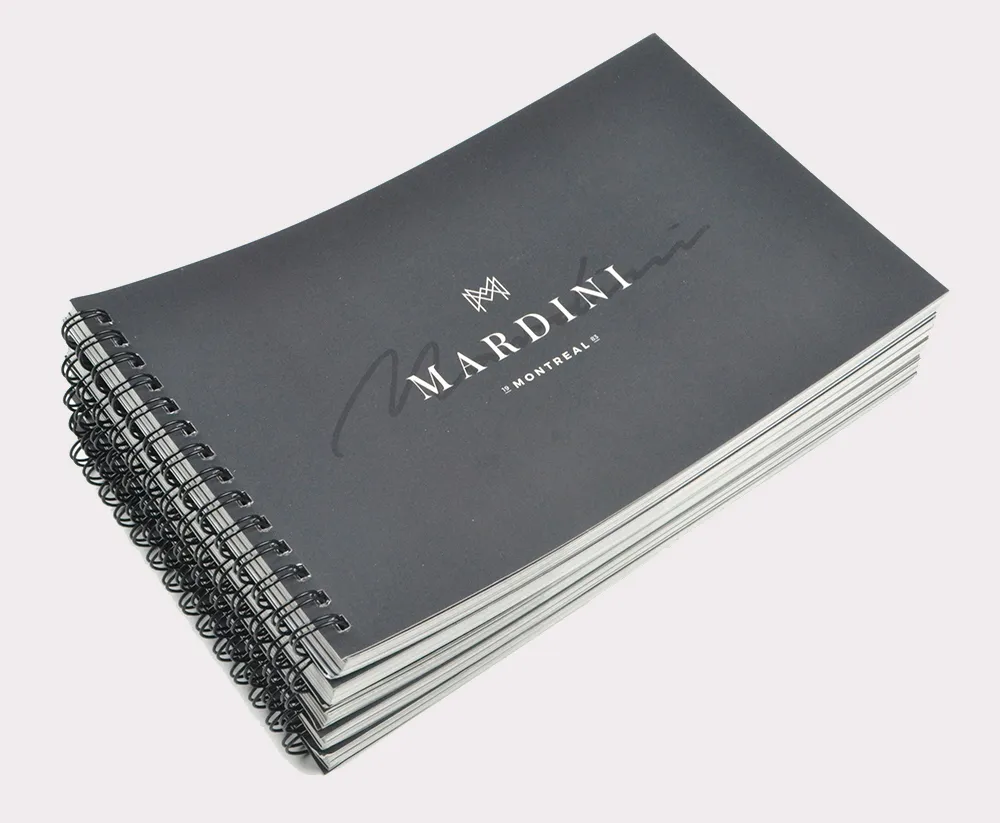
Wire-O
Wire-o binding is similar to spiral binding but uses twin-loop wire instead of a coil. This binding style creates a sleek and professional look while still allowing the catalog to open flat and lay flat when open.
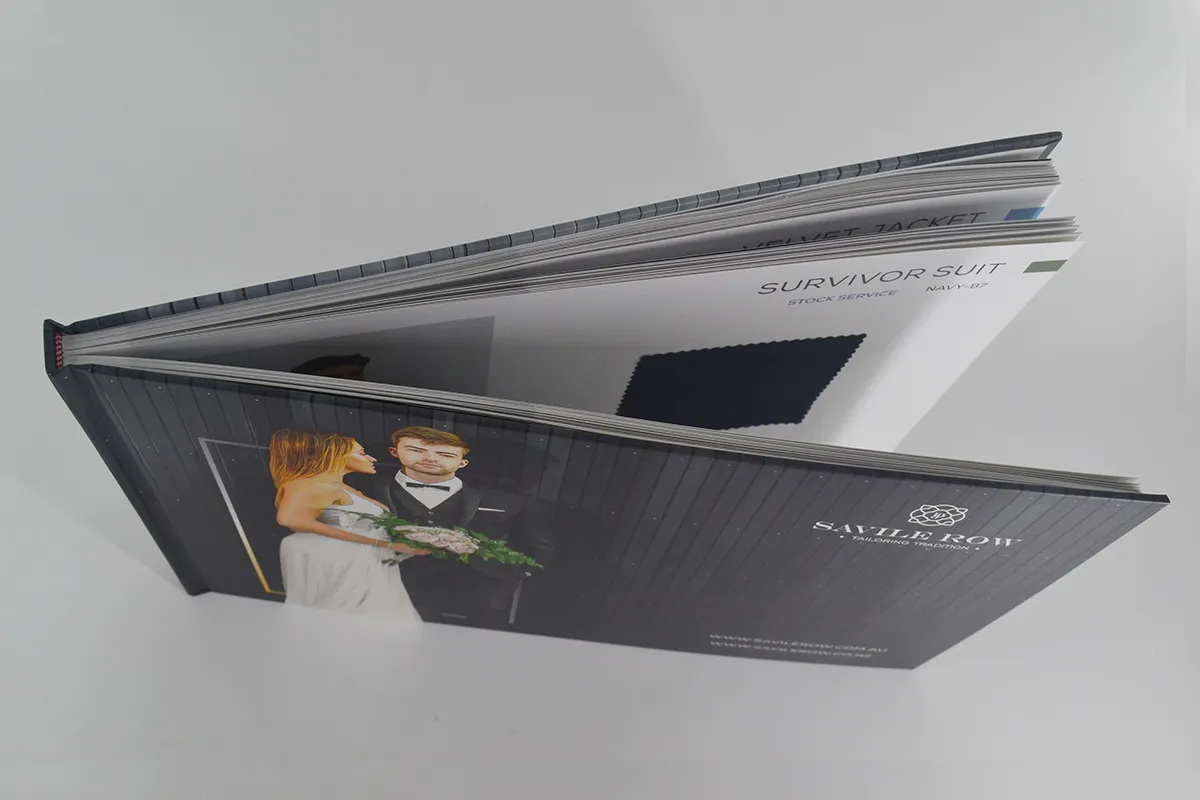
Hardcover
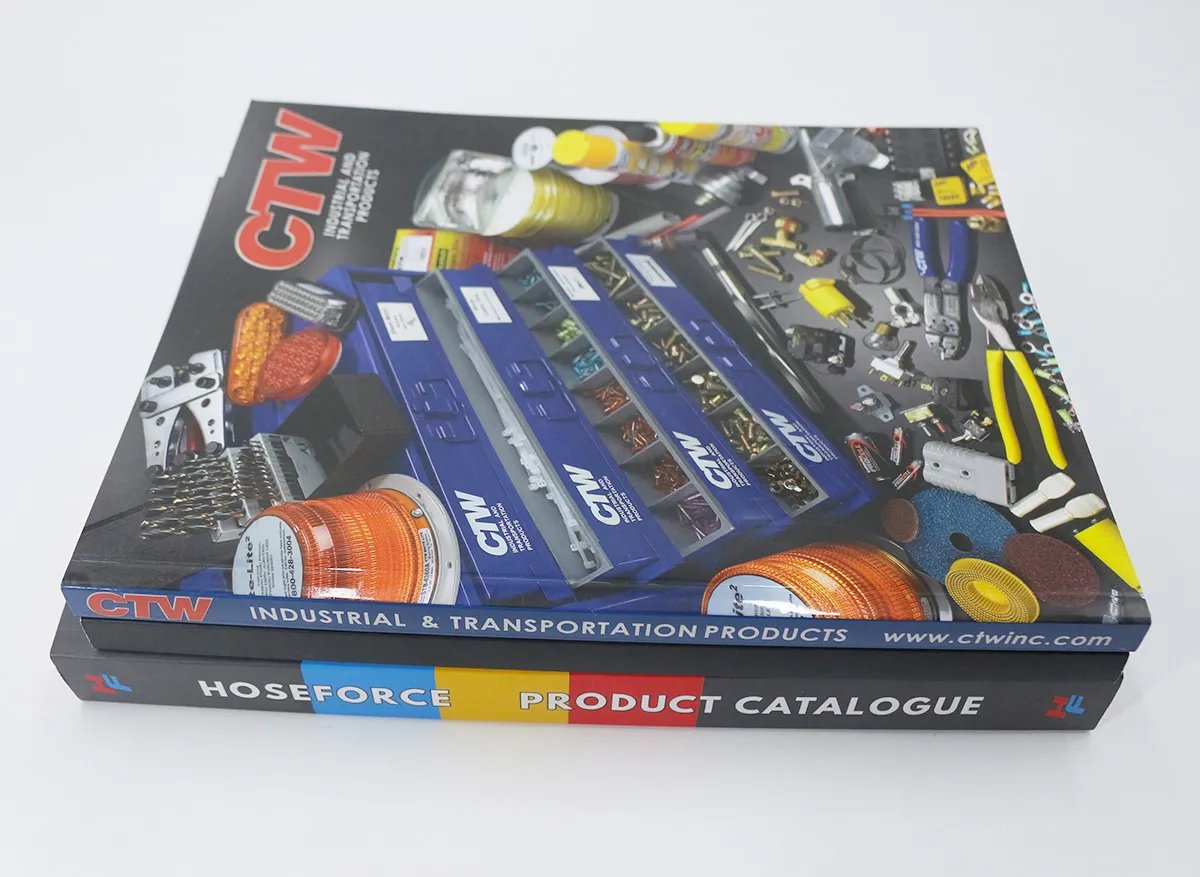
If you want to print your own catalog in a truly premium and long-lasting look, consider a hardcover binding. This method involves attaching the pages to a rigid cover, creating a durable and high-quality product that can withstand frequent use and handling.
When selecting a binding style to print your catalog, consider factors such as the page count, intended use, and desired aesthetic. Consulting with a professional printing service can help you make an informed decision based on your specific requirements and budget.
Printing Technology for Catalog Printing
When it comes to printing your own catalog, two primary technologies are widely used: digital printing and offset printing. Understanding the strengths and limitations of each can help you make an informed decision based on your specific needs.
Digital Printing
Digital printing is a modern and efficient printing method. It uses toner or inkjet technology to transfer images and text directly onto the paper. This technology offers several advantages:
-
Short Run Capabilities: Digital printing is ideal for small to medium print runs, making it cost-effective for businesses with limited print quantities.
-
Personalization: Digital printing allows for variable data printing, enabling personalized content or addressing within the same print run.
-
Quick Turnaround: Since digital printing doesn’t require the setup of printing plates, the turnaround time is significantly faster than traditional offset printing.
-
Lower Setup Costs: The elimination of printing plates and other prepress processes results in lower setup costs, making digital printing more cost-effective for shorter runs.
While digital printing excels in these areas, it may have limitations in achieving the highest quality for large print runs or when using specialized inks or finishes.
Offset Printing
Offset printing is a traditional and widely used printing method. It involves transferring ink from a plate to a rubber blanket and then onto the paper. This technology is particularly well-suited for large print runs and offers several advantages:
-
Consistent Quality: Offset printing ensures consistent color reproduction and quality throughout the entire print run. It is great for catalogs with high-quality image requirements.
-
Specialized Inks and Finishes: Offset printing allows for the use of specialized inks, such as metallic or Pantone colors, as well as various finishing techniques like spot UV or foil stamping.
-
Cost-Effective for Large Quantities: While offset printing has higher setup costs, it becomes more cost-effective for larger print runs due to economies of scale.
But, offset printing may not be as suitable for smaller print runs or jobs requiring variable data printing. Because of the higher setup costs and longer turnaround times.
When selecting the printing technology for your catalog, consider factors such as print quantity, turnaround time, budget, and the desired level of quality and finishing options.
Catalog Packaging Solution
Once your catalog is printed, ensuring it arrives at its destination in pristine condition is crucial. Here are some popular packaging solutions to consider:
Plastic Bag
Plastic bags offer a simple and cost-effective way to package and protect your catalogs during shipping. They come in various sizes and thicknesses, allowing you to choose the appropriate option based on the dimensions and weight of your catalog.
Envelope
Envelopes provide a more professional and secure packaging solution for catalogs. They come in various sizes and materials, including plain paper, kfart paper, bubble-lined, or reinforced options for added protection during transit.
Box
For a premium packaging experience, consider using boxes to ship your catalogs. Boxes offer superior protection and can be customized with your branding or messaging, creating a memorable unboxing experience for your customers.
When selecting a packaging solution, consider factors such as the weight and dimensions of your catalog, the shipping distance, and the level of protection required. Additionally, consider the environmental impact of your packaging choice and explore eco-friendly options if sustainability is a priority for your brand.
Tips to Balance Budget and Quality
Creating a high-quality catalog can be a significant investment. But with careful planning and strategic decisions, you can achieve a balance between budget and quality. Here are some tips to help you navigate this process:
Choose the Right Paper Type and Weight
As discussed earlier, the paper type and weight you select can significantly impact the overall cost and perceived quality of your catalog. Consider your specific needs and budget to find the perfect balance between affordability and the desired aesthetic.
Plan Your Print Quantities Carefully
Printing costs can vary greatly depending on the quantity ordered. By accurately estimating your print needs, you can avoid overproducing and minimize waste, ultimately saving on printing costs.
Simplify Your Finish Crafts
While finishing touches like spot UV, foil stamping, and embossing can elevate the visual appeal of your catalog, they can also add much costs. Focus on the most impactful finishing techniques and consider simplifying or omitting others to stay within your budget.
Comply with Print-Ready File Requirements
Ensuring your artwork files meet the printer’s specifications can help avoid costly mistakes and reprints. Double-check your files for proper resolution, color mode, bleed settings, and overall file integrity before submitting them for printing.
Compare Quotes and Services from Different Printers
Not all printing services are created equal. Take the time to compare quotes and services from multiple reputable printers to find the best balance between quality, cost, and customer service.
By following these tips and working closely with a professional printing service, you can create a high-quality catalog that effectively showcases your products while staying within your budget constraints.
Frequently Asked Questions About High Quality Catalog Printing
What is Bleed and How Does It Affect Your Catalog Printing?
Bleed refers to the area of the artwork that extends beyond the trim line of the printed piece. It ensures that the design extends to the edge of the paper without leaving any unprinted borders. Proper bleed settings are crucial for catalog printing. Because they prevent unsightly white margins from appearing on the edges of your pages.

Why Choose A Professional Printing Service for Your Catalog?
While it may be tempting to print your own catalog at a local shop or through an online printing provider, partnering with a professional printing service can provide many benefits. Professional printers have access to high-end equipment, specialized inks, and a wealth of expertise in producing high-quality catalogs. They can also offer guidance on paper selection, binding options, and finishing techniques to ensure your catalog meets the highest standards.
Why is High Resolution Recommended for Catalog Printing?
High resolution is essential for catalog printing to ensure crisp, clear, and detailed images and graphics. Lower resolutions can result in pixelated or blurry visuals, which can negatively impact the overall quality and professionalism of your catalog.
Professional printers typically require a minimum resolution of 300 dpi (dots per inch) for optimal print quality, ensuring that your product images and design elements appear sharp and vibrant.
Why Set Up Your Artwork Files Using CMYK Instead of RGB Color Mode?
The RGB (Red, Green, Blue) color mode is primarily used for digital displays, such as computer monitors and smartphones.
However, for print applications like catalogs, the CMYK (Cyan, Magenta, Yellow, Black) color mode is preferred. CMYK is the standard color model used in the printing industry, as it represents the four ink colors used in the printing process. Setting up your artwork files in CMYK ensures accurate color reproduction during printing, avoiding unwanted color shifts or inaccuracies that can occur when converting from RGB to CMYK.
Why is A PDF File Preferred by Most Printers?
PDF (Portable Document Format) files are the industry standard for print-ready files. Because they preserve the integrity of your artwork, including text, graphics, and layout. PDFs are designed to maintain consistent appearance across different platforms and devices, ensuring that your catalog looks exactly as intended when printed.
Additionally, PDF files can embed fonts, images, and other elements, reducing the risk of missing or corrupted elements during the printing process.
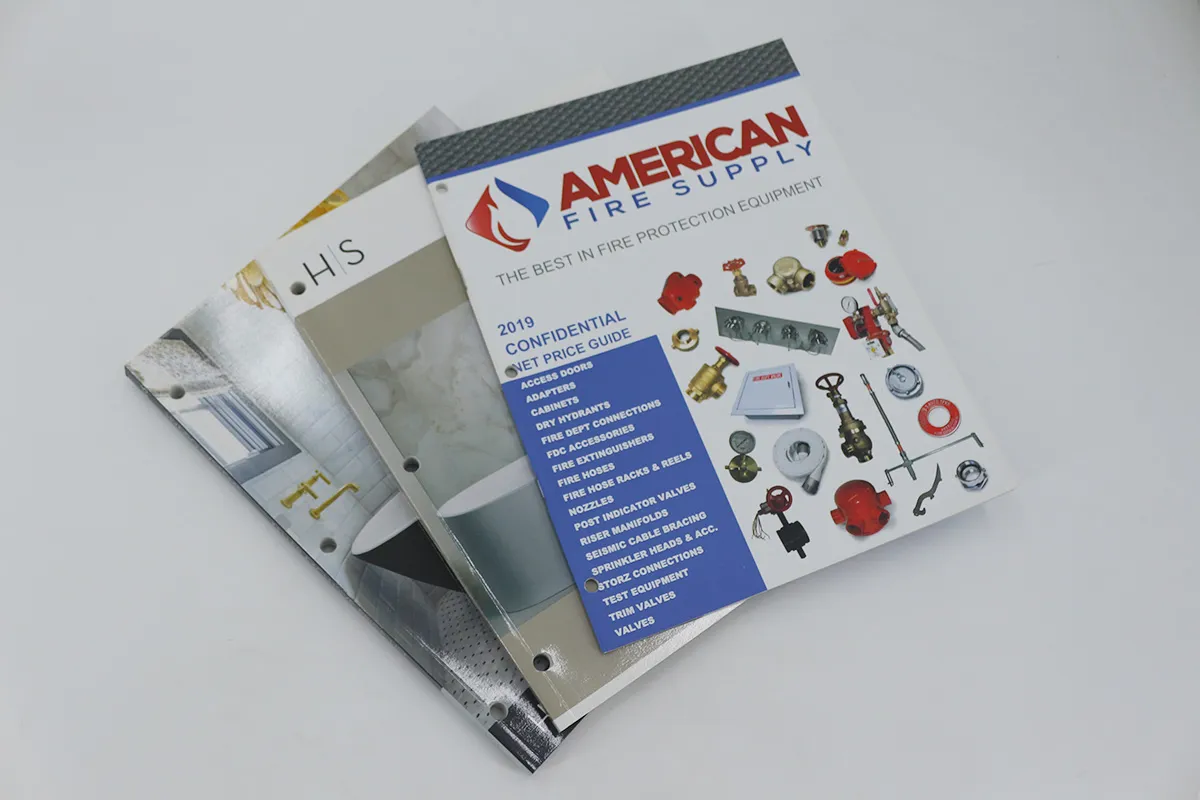
Can I Custom Punch Holes for My Catalog?
Yes, most professional printing services offer custom hole punching options for catalogs. This feature can be particularly useful if you plan to use a ring binder or other binding method that requires pre-punched holes. Custom hole punching allows you to specify the desired hole pattern, size, and placement, ensuring a seamless fit with your chosen binding solution.
How Many Page Counts Can I Add in A Catalog?
The number of pages in a catalog can vary greatly depending on your specific needs and budget. Professional printing services can accommodate catalogs ranging from a few pages to thousands of pages.
The page count will largely depend on the number of products or services you need to showcase, as well as the level of detail and imagery you wish to include. It’s essential to strike a balance between providing comprehensive information and keeping the catalog manageable and cost-effective.
How Much Does Catalog Printing Cost?
The cost of catalog printing can vary significantly based on several factors, including the page count, paper type, printing technology (digital or offset), binding method, finishing options, and print quantity. Generally, the more pages, higher-quality materials, and specialized finishing techniques you require, the higher the cost will be. Additionally, larger print runs often benefit from economies of scale, resulting in lower per-unit costs.
To obtain an accurate quote for your specific catalog printing project, it’s best to consult with a professional printing service and provide them with detailed specifications, such as page count, paper preferences, binding requirements, and desired print quantity.

Why Choose BookPrintingChina to Print Your Own Catalog?
BookPrintingChina is a leading provider of high-quality catalog printing services, offering a comprehensive range of solutions to meet your unique needs. With years of experience and a dedication to excellence, we ensure that your catalogs are produced with the utmost attention to detail and precision.
Our state-of-the-art printing facilities are equipped with the latest technology, allowing us to deliver exceptional print quality and a wide range of finishing options. From premium paper stocks to specialized binding techniques and intricate finishing touches, we have the expertise and resources to bring your vision to life.
At BookPrintingChina, we understand the importance of timely delivery and efficient turnaround times. Our streamlined processes and dedicated team ensure that your catalogs are produced and shipped promptly, minimizing delays and ensuring your marketing efforts remain on schedule.
Furthermore, we prioritize customer satisfaction and provide personalized support throughout the entire printing process. Our knowledgeable representatives are always available to answer your questions, offer guidance, and ensure that your catalog printing experience is seamless and stress-free.
Elevate your brand’s presence and showcase your products in the most captivating way possible by partnering with BookPrintingChina for your catalog printing needs. Request a quote today and experience the difference of working with a trusted and experienced printing partner.