


Transfer your digital file into a professional quality printed material, carefully prepare your print ready file is a key. In this guidelines, we will explore how to set up and prepare print ready files to meet industry printing standards.
What is A Print Ready File
In the realm of printing, a print ready file, also known as print-ready artwork or a ready to print file. It refers to a digital file that has been meticulously prepared and formatted to meet the specific requirements for professional printing. This file contains all the necessary elements, such as images, text, and graphics, arranged in a layout that is optimized for the printing process.
Creating a print ready file is a crucial step in ensuring that your printed materials, whether it’s a book, brochure, or marketing collateral, achieve the desired quality and accuracy. It involves adhering to industry-standard guidelines and best practices to ensure that your artwork is properly set up for the printing press.
By following these guidelines, you can minimize the risk of errors, delays, or unexpected issues during the printing process, ultimately saving time and money while ensuring a seamless and successful print run.
Benefits of Creating A Print Ready File
Preparing a print ready file offers many benefits that can significantly enhance the quality and efficiency of your printing projects. Here are some key advantages:
1. Consistent Output: A print ready file ensures that your artwork is accurately represented and reproduced across different printing devices and platforms, maintaining consistent colors, fonts, and overall appearance.
2. Professional Results: By adhering to industry standards and guidelines, you can achieve professional-grade printing results that meet or exceed expectations.
3. Reduced Errors and Delays: Properly formatted print ready files minimize the risk of errors, such as missing fonts, low-resolution images, or color inconsistencies, which can lead to costly delays and reprints.
4. Efficient Workflow: A well-prepared print ready artwork file streamlines the printing process. It can reduce the need for manual adjustments or corrections, saving time and resources.
5. Cost Savings: By avoiding common printing errors and minimizing the need for reprints or revisions, you can potentially save money on your printing projects.
By investing the time and effort to create a print ready file, you can ensure that your printed materials accurately reflect your vision and effectively communicate your message to your target audience.
How to Set Up and Prepare Your Print Ready Artwork File
As a beginner, you may not know how to set up the print ready-file to meet printing standards. Usually, setting up and preparing a print ready artwork file involves following a set of guidelines and best practices to ensure optimal printing results. Here are the key steps to follow:
 Bleed
Bleed
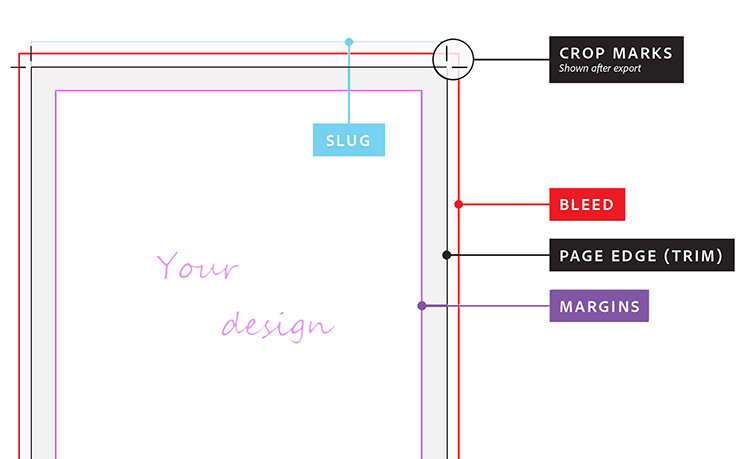
Bleed refers to the extension of your artwork beyond the trim line. It allows for a clean and professional finish without any unintended white borders or margins.
When setting up your file, it’s essential to include a bleed area of at least 3mm (0.125 inches) around the trim line. For the hardcover book, the cover need to add 15mm(0.59 inches) on each side. To make sure your design extends beyond the final trim size, ensuring that no unintended white spaces appear on the edges of your printed piece.
 Resolution
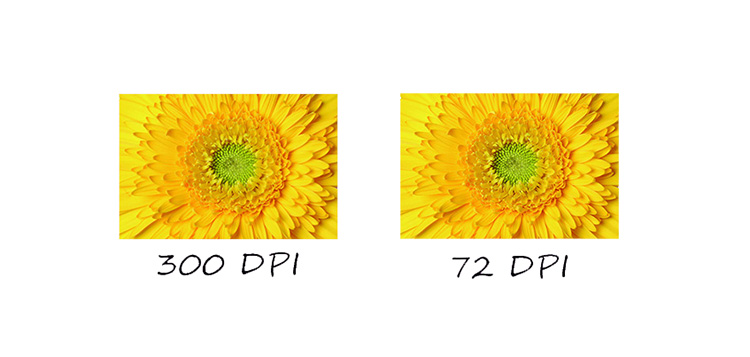
Resolution refers to the number of dots or pixels per inch (dpi) in an image or graphic. Use high-resolution images and illustrations for crisp and clear printing. For professional printing, it’s recommended to use a resolution of 300dpi or higher.
Lower resolutions can result in pixelated or blurry images, compromising the overall quality of your printed materials.
Color
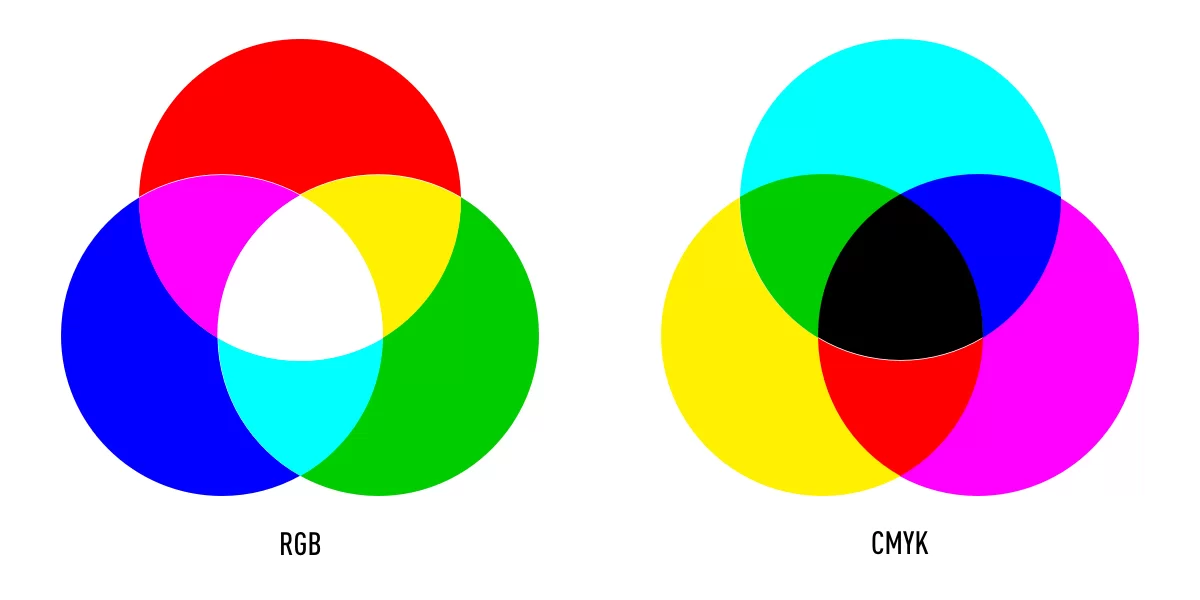
Most professional printing processes use the CMYK (Cyan, Magenta, Yellow, and Black) color model, which is different from the RGB (Red, Green, Blue) color model used for digital displays.
It’s crucial to convert your artwork to the CMYK color mode to ensure accurate color reproduction during the printing process. As RGB color mode may be change during the printing process.
 File Types
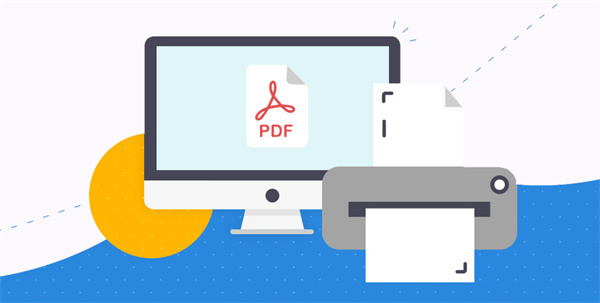
The industry-standard file format for print ready files is PDF (Portable Document Format). PDF files can preserve the integrity of your artwork, including text, graphics, and layout, ensuring consistent output across different platforms and printing systems.
When creating a PDF, it’s recommended to use the “Press Quality” or “High-Quality Print” settings to ensure optimal print quality.
Outlined Fonts
To prevent font substitution or missing font issues, it’s essential to outline or convert all text elements into vector paths or curves. This process embeds the font information directly into the file, ensuring that your text appears exactly as intended, regardless of the fonts installed on the printing system.
Proofreading and Checking
Before submitting your print ready file, it’s crucial to thoroughly proofread and check your artwork for any errors or inconsistencies. Review the text for typos, check the layout and alignment, and ensure that all images and graphics are correctly placed and sized. This step can help catch and correct any potential issues before sending your file to the printer, avoiding costly mistakes and delays.
Common Software & Tools for Creating Print Ready File
There are various software applications and tools available to help you create print ready files. Here are some popular options:
Adobe InDesign
Adobe InDesign is a powerful layout and design software widely used in the publishing and printing industries. It offers advanced typographic controls, layout tools, and the ability to create print ready PDF files with embedded fonts and high-resolution images.
Adobe Illustrator
Adobe Illustrator is a vector graphics software that excels in creating scalable illustrations, logos, and graphics. It’s particularly useful for creating print ready artwork with crisp lines, shapes, and text, ensuring high-quality output even when scaling or resizing.
Adobe Photoshop
Adobe Photoshop is a raster graphics editor that is widely used for image editing, photo manipulation, and creating print ready artwork with raster images. It allows you to work with high-resolution images, adjust colors, and prepare files for print.
Canva
Canva is a user-friendly, web-based design platform that offers a range of templates and tools for creating various print materials, including books, brochures, flyers, and marketing collateral. It simplifies the process of creating print ready files for non-designers or those with limited design experience.
Affinity Publisher
Affinity Publisher is a professional-grade layout and publishing software that provides advanced tools for creating print ready files. It supports industry-standard file formats, offers precise typographic controls, and allows for seamless integration with other Affinity apps like Designer and Photo.
These software applications and tools offer various features and capabilities to help you create print ready files tailored to your specific needs and requirements.
Print-Ready File Guidelines for Different Book Printing Projects
While the general principles of creating print ready files apply across various printing projects, there are some specific considerations and guidelines for different types of book printing projects. Here’s an overview:
Softcover Books
For softcover or paperback books, it’s essential to include a separate cover file and interior file. The cover file should include the front cover, spine, and back cover, with the necessary bleed and trim marks.
The interior file should contain the book’s content, properly formatted with margins, headers, and footers. It’s also recommended to include crop marks and printer’s marks for efficient printing and trimming.
Hardcover Books
Hardcover book printing requires separate files for the case (hardcover), special finishes(if have), dust jacket (if applicable), and interior content.
The case file should include the front and back cover designs, as well as the spine. The dust jacket file should have the front and back flaps, as well as the spine design.
The interior file should be formatted similarly to softcover books, with proper margins and layout. It’s also recommended to include crop marks and printer’s marks for efficient printing and trimming.
Spiral Books
For spiral-bound books, the print ready file should be set up as a single, continuous layout, with the pages arranged in the correct reading order. It’s important to include sufficient bleed and trim marks to ensure proper trimming and binding. Additionally, you may need to provide specific instructions for the spiral binding placement and orientation.
Board Books
Board books, typically aimed at young children, require specialized print ready files due to their unique construction and durability requirements. The file should be set up with spreads (two facing pages) as the basic unit, with proper bleed and trim marks. It’s also essential to consider the thickness of the board and the potential for warping or buckling during printing and binding.
While these guidelines provide an overview, it’s always recommended to consult with your chosen print service provider or book printer for their specific requirements and recommendations. They can provide detailed specifications and guidelines tailored to your particular book printing project, ensuring optimal results and a seamless printing experience.
Is There Any Print Ready Artwork Template Provide?
Absolutely! Many printing service providers and software applications offer pre-designed templates to help you create print ready artwork files. These templates are typically set up with the correct dimensions, bleed areas, and guides, making it easier to design and prepare your artwork for print.
Here are some examples of where you can find print ready artwork templates:
1. Printing Service Providers: Many professional printing companies(Such as BookPrintingChina) offer free templates, tailored to specific print projects like books, business cards, brochures, or flyers. These templates ensure that your artwork meets our printing requirements and specifications.
2. Design Software: Popular design software applications like Adobe InDesign, Adobe Illustrator, and Canva often include built-in print ready templates or template libraries. These templates are pre-configured with the correct settings and guidelines for various print projects, making it easier to create print-ready files.
3. Online Template Marketplaces: There are various online marketplaces and repositories that offer a wide range of print ready templates for purchase or download. These templates are often created by professional designers and can be customized to fit your specific needs.
4. Freelance Designers or Design Agencies: If you’re working with a freelance designer or a design agency, they may provide you with custom print ready templates tailored to your branding and project requirements.
When using templates, it’s important to carefully review and understand any accompanying instructions or guidelines provided by the template creator or printing service provider. This will ensure that you properly set up and prepare your artwork within the template, adhering to the necessary specifications for a successful print run.
Through following these print ready file guidelines and utilizing the available templates and resources. You can streamline the printing process, minimize errors, and achieve professional-grade printed materials that effectively communicate your message and elevate your brand.
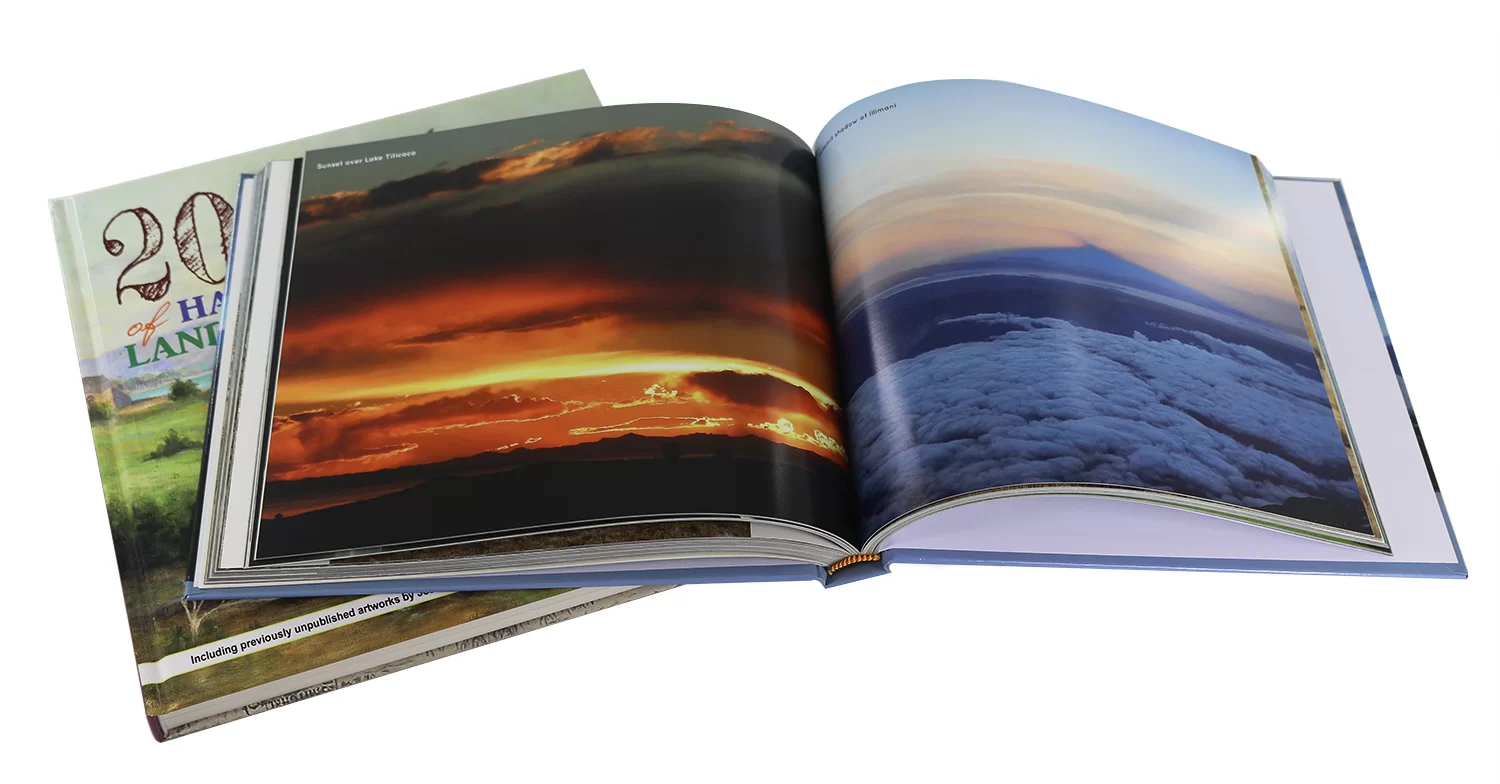
If you’re looking to create high-quality printed materials that accurately reflect your vision and brand, consider our professional printing services. Our printing experts will work closely with you to ensure that your print ready files meet all industry standards and guidelines, ensuring a seamless printing experience and exceptional results. Visit our website or contact us today to learn more about our comprehensive printing solutions and how we can bring your designs to life with precision and quality.